
PPP Family ID Not Found or Invalid: Causes & Fix Guide 2026
If you tried logging into the PPP Family ID(Parivar Pehchan Patra) portal and received a message saying your Family ID not found or Invalid, don’t worry — this guide will walk you through the reasons this happens and how to fix it.
Let’s get straight to the point and solve this issue!
Common Reasons PPP Family ID Not Found or Invalid Shows
Wrong Login Method or Details
The PPP portal allows login through Aadhaar number, Family ID, or mobile number. If you select the wrong login method or enter incorrect details, the system may show errors like Family ID Not Found or Invalid, as it cannot locate your Family ID record.
Fix: Double-check which login method you’re using and ensure that the details are entered correctly.
Pending Registration or Verification
If you’ve recently registered or updated your Family ID, the system may still be processing your information. During this processing time, your ID might show as “Family ID Not Found or Invalid”
Fix: Wait a few days after registration or update and try logging in again.
Aadhaar or Mobile Mismatch
If the Aadhaar number or the mobile number linked to your PPP Family ID doesn’t match the details you enter, PPP Family ID Aadhaar eKYC fails because the portal cannot recognize your record.
Fix: Ensure that you are using the exact Aadhaar and mobile number linked to your Family ID. If either has changed, update your details on the portal.
System Sync Delays After Updates
When you update family details such as name, income, or address, the system may temporarily show a Family ID Not Found or Invalid status until the updates are fully processed and verified.
Fix: Wait for the verification process to be completed and check the status in the portal.
Temporary Records or Out-of-State IDs
Some families, especially those from outside certain states, may have a Temporary Family ID that differs from the usual ID format. If you’re using the wrong portal or ID type, it could show as invalid.
Fix: Make sure you are logging into the correct regional portal for your type of Family ID.
Who Can See “Family ID Not Found or Invalid”?
“Family ID Not Found or Invalid” is a common issue faced by users attempting to access their PPP Family ID on the portal. It is most often seen in these cases:
Details Required to Access Your PPP Family ID
When accessing your PPP Family ID, make sure you have the following details:
Aadhaar Number
Ensure the Aadhaar number is entered exactly as on your Aadhaar card.
Mobile Number Linked with Aadhaar
The mobile number linked to your Aadhaar must be used for verification.
Family ID Number
The correct Family ID number (if using it to log in).
Correct Portal
Make sure you are using the correct portal for your state or region.
Aadhaar eKYC Details
Ensure your Aadhaar is linked properly to PPP Family ID for smooth eKYC verification.
Related Guides: PPP Family ID Status, Corrections, and Benefits
If you are encountering issues such as “Family ID Not Found or Invalid,” it is often useful to check other related guides:
Check the current status of your PPP Family ID and whether it is under verification or pending updates.
Learn how to fix incorrect or missing data in your Family ID, including Aadhaar, address, and family details.
Explore the benefits available once your Family ID is successfully linked and verified, such as eligibility for government schemes and welfare programs.
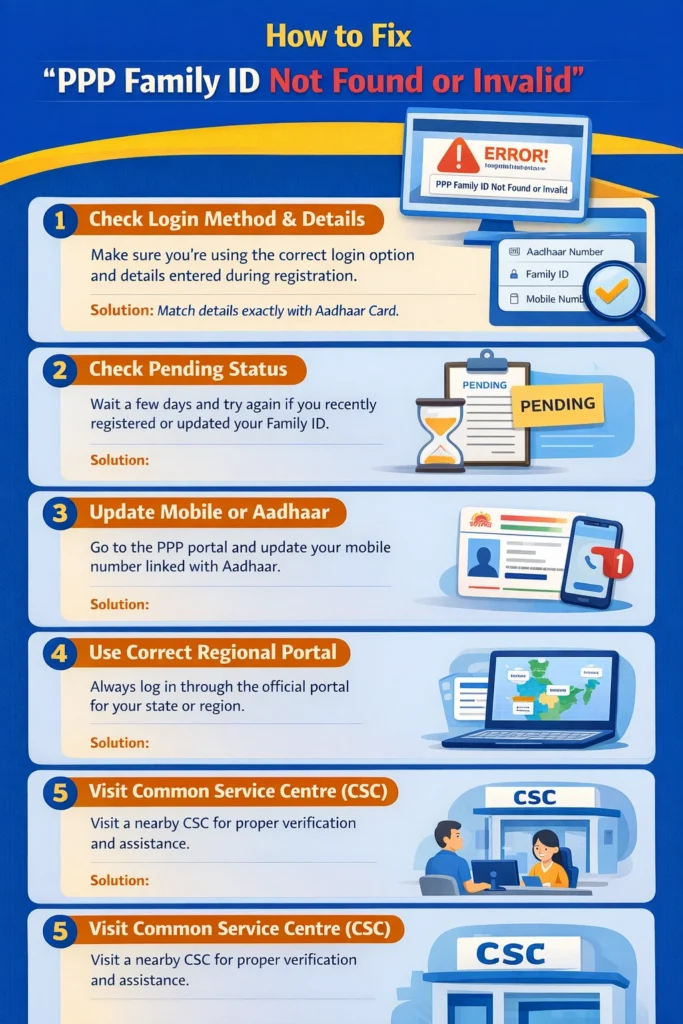
How to Fix “PPP Family ID Not Found or Invalid”
Check Your Login Method and Details Carefully
1.Make sure you’re using the correct login option (Aadhaar number, Family ID, or mobile number).
2.Double-check that the details you’re entering match exactly with what you used during registration.
Check Pending Status
If you recently registered or updated your Family ID, it may still be under processing. This could explain why it’s showing as “not found.”
Wait for a few days and try again.
Update Mobile or Aadhaar Details
If you’ve changed your mobile number or your Aadhaar is not linked correctly, the system may fail to locate your Family ID.
Go to the PPP portal and update your mobile number linked with Aadhaar.
Use the Correct Regional Portal
Sometimes, different regions have state-specific portals. If you are using the wrong portal, your account may show a Family ID Not Found or Invalid error. Always make sure you are logging into the official portal for your correct state or region.
Visit a Common Service Centre (CSC)
If you’ve tried all the steps and your Family ID is still not found, visit a nearby Common Service Centre (CSC).
They can help verify your details in the backend system and provide assistance with fixing any issues
Tips to Avoid This Error in the Future
Related Issues That Can Cause PPP Family ID Access Problems
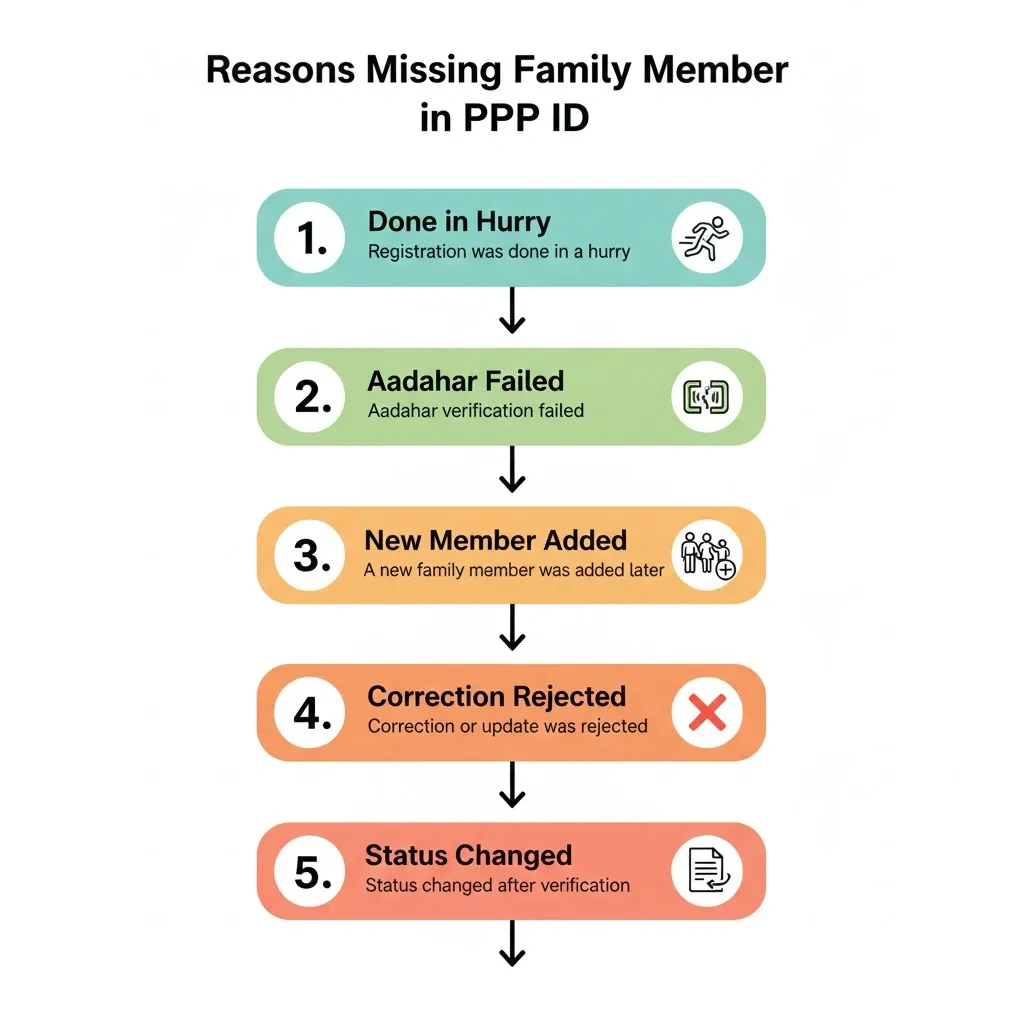
If there were any errors during your Family ID registration, such as typos or incorrect details, the system may show a Family ID Not Found or Invalid error. In such cases, you usually need to update your details through the official portal or a nearby CSC.
In some cases, the verification process takes longer than expected. If you recently updated your details or registered, the system might still be processing your information.
Sometimes, the PPP portal experiences technical difficulties or scheduled maintenance. If the system is down temporarily, you may see an error message saying “not found.”
FAQs
Bottom Line
If your PPP Family ID Not Found or Invalid, it’s often due to simple issues like mismatched details, pending updates, or technical delays. By following the steps above, you should be able to fix the problem quickly. If nothing works, visiting a CSC for help can be a great option.


