
Family ID Address Difference with Aadhaar How to Fix Online?
If you’re in Haryana and your PPP Family ID address has an address difference compared to your Aadhaar address, it can cause problems when you try to update your Family ID, download it, or use it for government services. This address difference is quite common, but fixing it is easier than you might think when you follow the correct steps.
In this guide, I’ll walk you through why this problem happens and how to fix it quickly with easy, practical steps.
Why Address Difference Happen
Your Aadhaar card is often used as a primary proof of your identity and address when you enroll for Parivar Pehchan Patra (PPP). If the address on your Aadhaar doesn’t match the one saved in the PPP database, the system may mark it as a mismatch.
This can happen because:
You moved to a new home and didn’t update your address on Aadhaar
You updated your address on Aadhaar but didn’t update PPP Family ID
There’s a spelling error or missing part in the address in one of the documents
Matching addresses makes it smooth to access benefits and avoid verification errors when using the PPP portal.
Documents Required to Fix Address Difference
If you need to fix the address mismatch between your Aadhaar and Family ID, these are the documents you should bring to a CSC or Saral Kendra:
These documents help the staff at CSC or Saral Kendra verify and correct the address information efficiently.
How Long Does Address Update Take to Reflect
After submitting your address update, it may take a few days for the changes to reflect on the Family ID portal. The verification process can sometimes cause delays, but once the update is approved, your corrected address will appear on the portal, and you can download or print the updated Family ID.
Can I Update Aadhaar or Family ID Address Separately?
Yes, you can update the address on Aadhaar and Family ID separately, but it’s recommended to first update your address on Aadhaar. Once your Aadhaar address is updated, you can update the same address on the Family ID to ensure consistency between the two records.
Fees or Charges for Updating Address
There is generally no fee for updating the address on your Family ID through the official PPP portal or at a CSC/Saral Kendra. However, some CSCs may charge a small service fee for additional services like printing or assistance in updating your Family ID details.
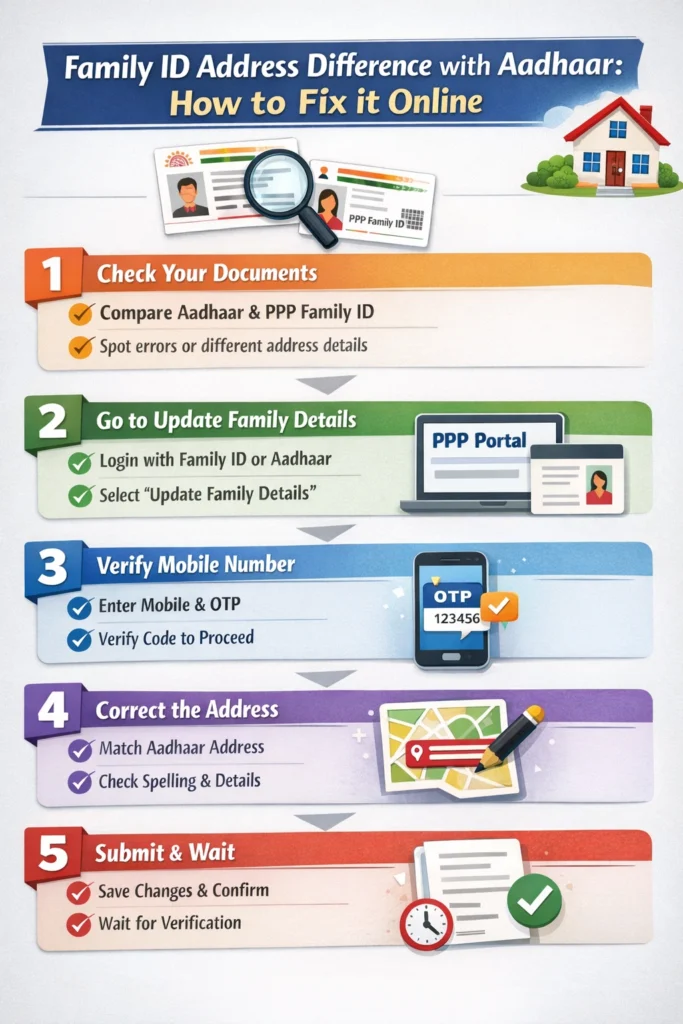
Step‑by‑Step: How to Fix the Address Difference
Here’s a friendly step‑by‑step way to fix your PPP Family ID when your Aadhaar Address Difference Occur:
Compare Your Documents
First, check:
✔ Your Aadhaar card address
✔ The address on your PPP Family ID data
Look carefully for:
✔ Spelling errors
✔ Missing apartment or street info
✔ Different village or colony names
Noting the exact differences helps you know what needs to be corrected.
Go to the “Update Family Details” Section
There is a special part on the PPP portal where you can update family information, including address. This is called the Update Family Details option. You will need your Family ID or Aadhaar number to log in and start the update.
Verify with Your Mobile Number
Once you start the update:
✔ Enter your Aadhaar or Family ID
✔ Enter the mobile number registered to your Family ID
✔ You will receive an OTP (One‑Time Password) on your phone
Enter the OTP carefully so the system can verify you and let you proceed.
Correct the Address
When you reach the data editing page:
✔ Change the address to exactly match your Aadhaar
✔ Make sure spelling, pin code, and city details are correct
✔ Avoid any shortcuts or missing information
This helps the system match your documents correctly during verification.
Submit the Changes
After you’re done updating the address, submit your request.
Once submitted:
✔ The system will save your changes
✔ You may receive a confirmation message on your phone
✔ It may take a few days to verify and approve the new address
Tips to Make the Process Smoother
Here are some quick tips that make this easier Address Difference:
These smart checks reduce rejection and speed up approval. And In 2026, you can visit a CSC or Saral Kendra to resolve Family ID issues quickly with proper assistance.
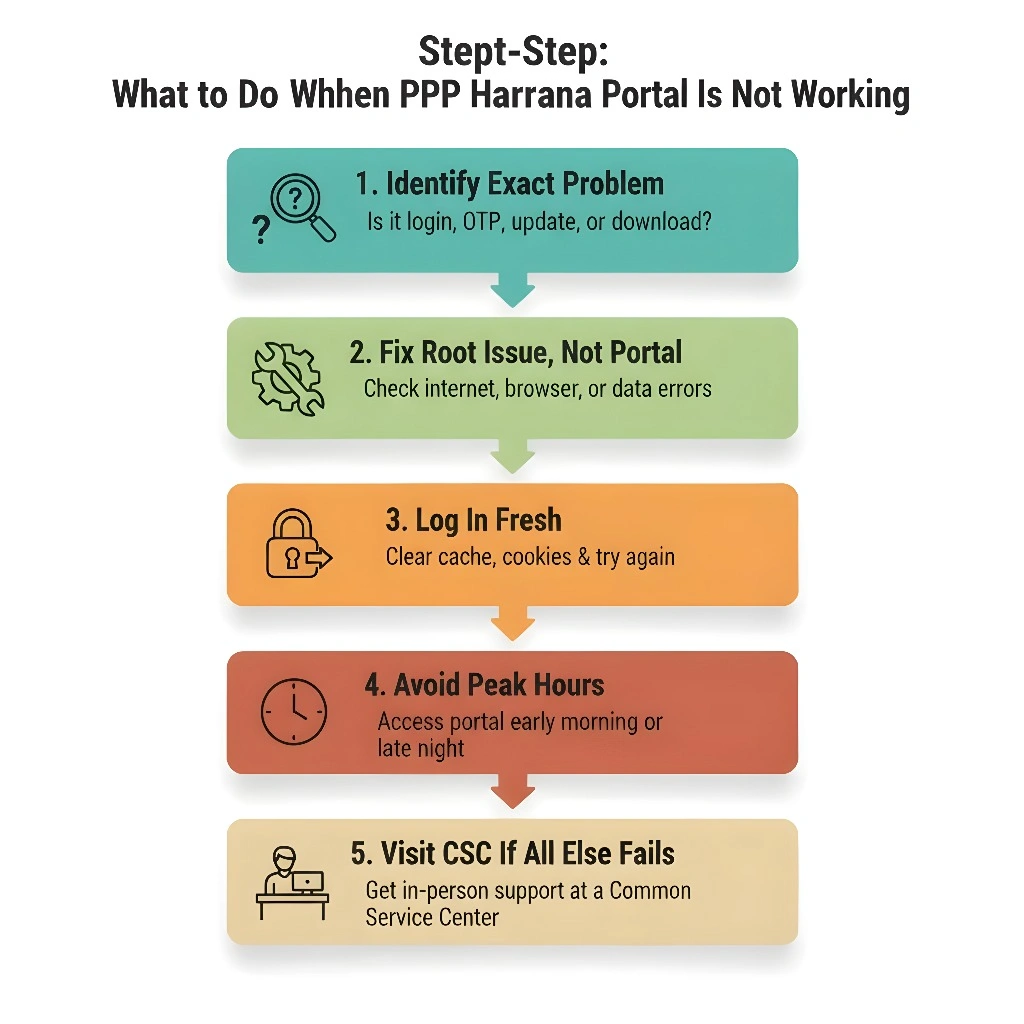
What If You Can’t Fix It Online?
If the PPP portal shows errors or doesn’t let you update the address online, don’t worry — there are other ways to fix it:
Visit a CSC or Saral Kendra
Local help centres like CSC (Common Service Centre) or Saral Kendra can assist you. The staff is trained to help with PPP Family ID updates and can enter the correct address on your behalf. They will ask for:
Their assistance often clears errors that happen online.
Why Matching Your Address Matters
When your PPP Family ID address and Aadhaar address match:
The system verifies your Family ID faster.
You avoid errors when downloading or using the ID
You can access government benefits without delays
Future updates like adding new members or correcting other details are easier.
Fixing address mismatches removes unnecessary delays and frustration.
How Long Family ID Updates Take After Visiting CSC
Typically, updates made at a CSC or Saral Kendra take a few days to reflect on the Family ID portal, depending on the volume of requests. After submission, you may receive confirmation via SMS, and once verified, the updated Family ID will be available for download.
Common Problems & Easy Fixes
Here are some issues people face and what you can do:
Check that your phone signal is strong and your number is linked with your Family ID correctly.
Wait for a few days — changes sometimes take time to reflect.
Make sure your new address exactly matches Aadhaar before submitting again.
Quick FAQs about Address Difference
Final Thoughts
Address Differences between Aadhaar and PPP Family ID might seem annoying, but they’re fixable with the right steps. Just check your documents carefully, update the address to match, and submit your changes. If online doesn’t work, getting help from a local centre often clears the problem fast.
Taking a few minutes to resolve the mismatch now saves a lot of time and frustration later when you need your Family ID for government benefits or verification.


