
UP Family ID Mobile App :Easy Login & Registration Guide2026
If you are trying to download, register, log in, update, or manage the UP Family ID Mobile App, this guide works like a complete checklist. You’ll learn the important steps most articles miss, helping you complete the process easily without confusion.
The UP Family ID (also called Parivar Pehchan Patra) is a unique 12‑digit identity assigned to every family in Uttar Pradesh by the government. It helps you access welfare schemes, subsidies, and government benefits easily. It means once registered, you don’t need to upload documents repeatedly for different services. UP Family ID Mobile App guide helps you register, login, update and manage family ID easily to access govt schemes fast, simple and hassle-free online
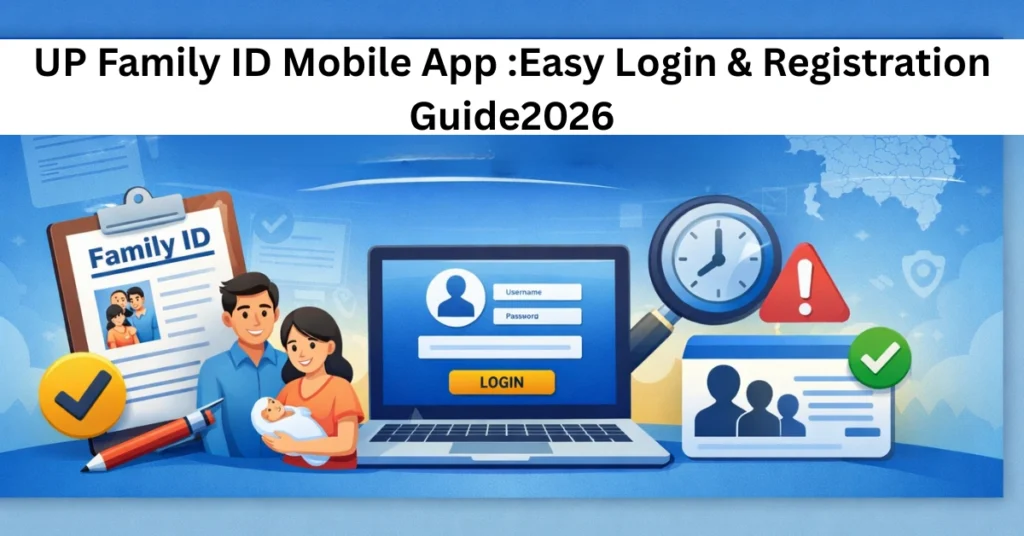
Is There an Official UP Family ID Mobile App?
Many people search for a government UP Family ID Mobile App but there is no official government app from the Uttar Pradesh government on the App Store or Google Play.
There is a third‑party Android app called UP Family ID Mobile App‑फैमिली आई०डी०. This app claims to help you apply and track your Family ID online. It has over 100,000 downloads and says it is independent and not officially part of the government. Data privacy may vary, and always check permissions before use.
Important: Your safest and most secure actions happen on the official government portal, not through third‑party apps.
What You Can Do with the Official UP Family ID (Online)
You can use the UP Family ID portal to:
Register a new family for Family ID
Login and access your dashboard
Update family details (birth, deaths, address changes)
Track your application status
Download your Family ID certificate (Parivar Pehchan Patra)
Link your bank account for direct benefit transfers
This is a complete set of tasks most people come looking for online.
How to Register for UP Family ID
If your family does not yet have a Family ID:
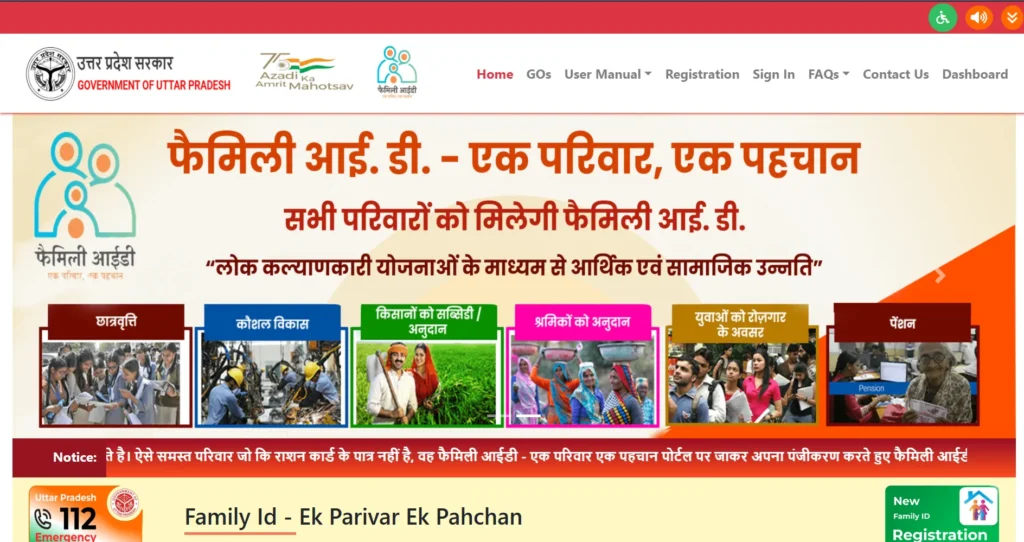
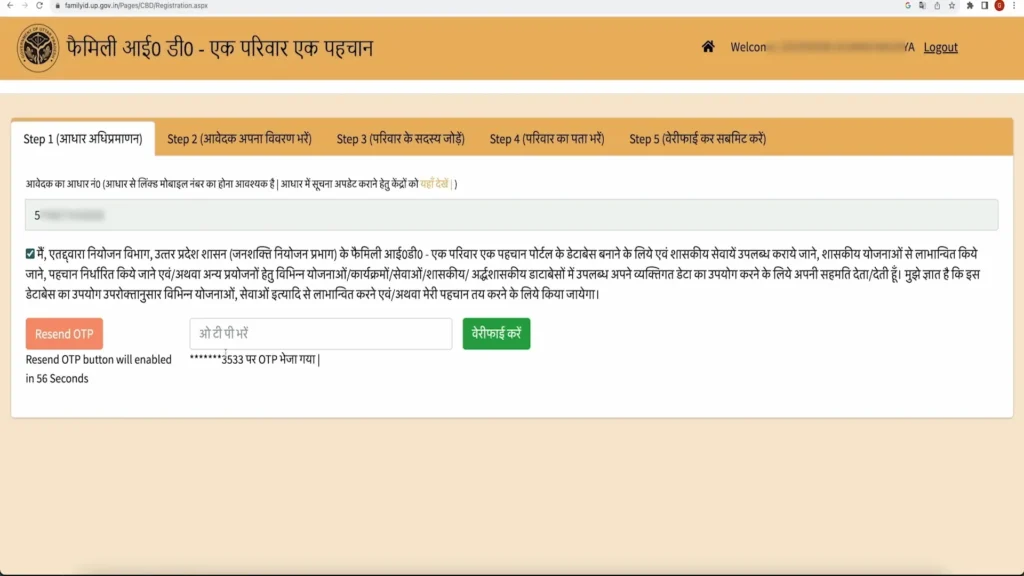
Go to the official UP Family ID portal.
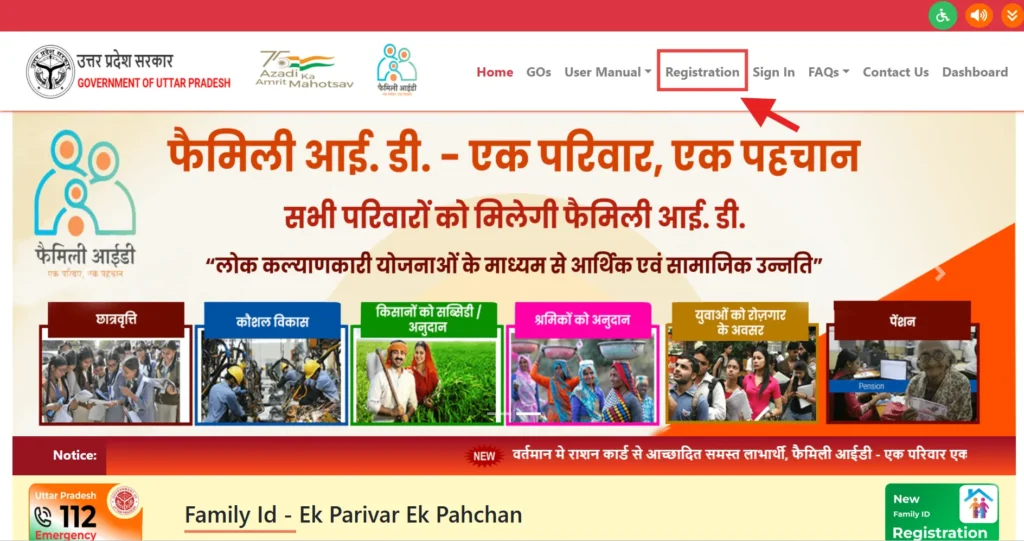
Click on “New Registration”.
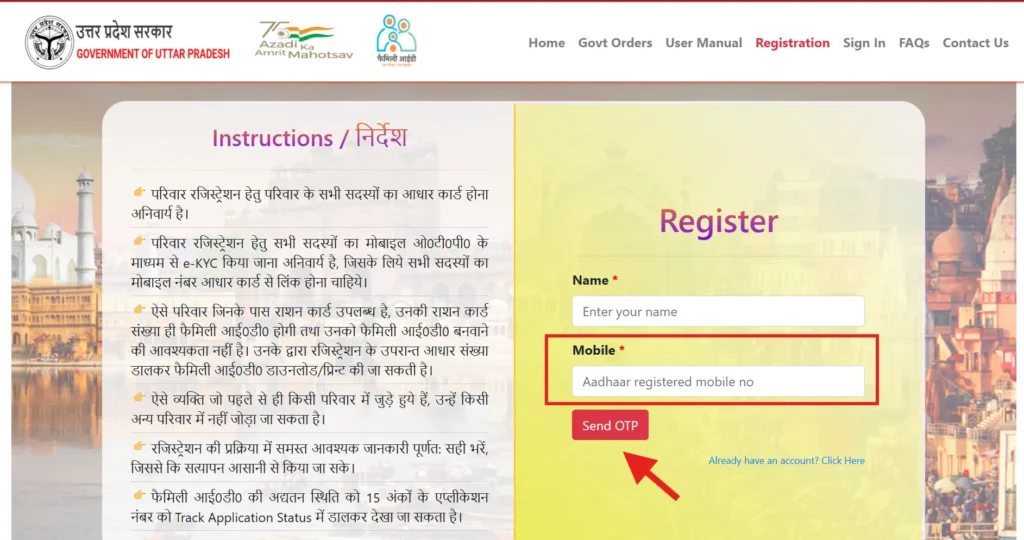
Enter your mobile number to receive an OTP.
Verify the OTP.
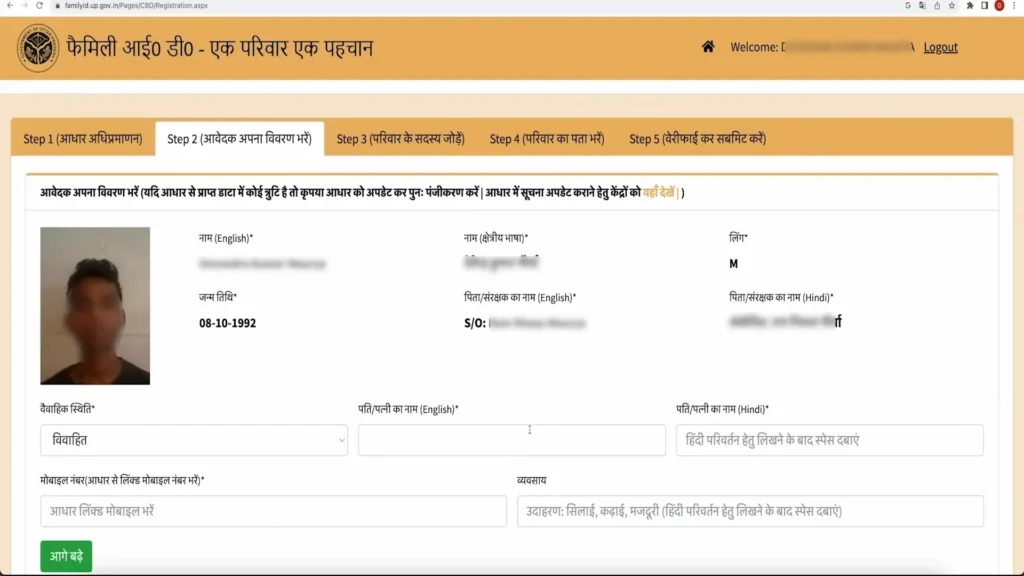
Enter the Aadhaar number of the family head.
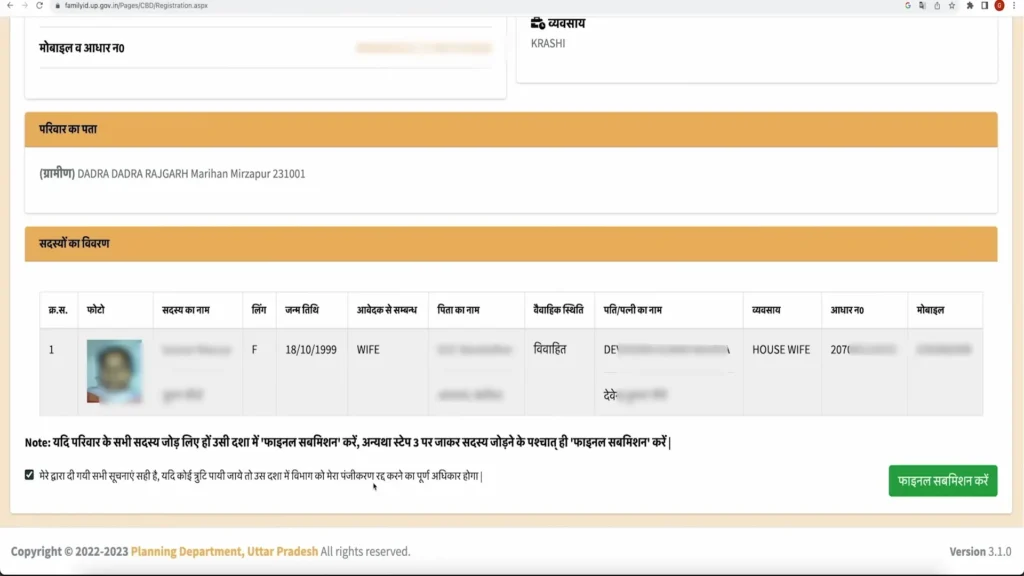
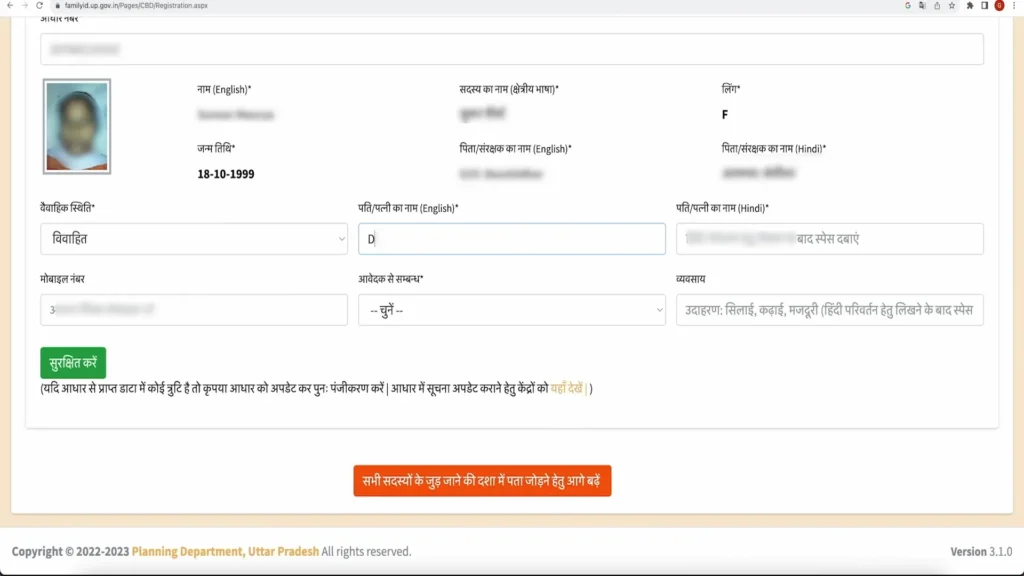
Fill in details for all family members.
Upload required documents such as Aadhaar cards, address proof, and photos.
Review all information and submit.
Save your application number after submission.
Most guides only show basic registration steps, but remember to double‑check each family member’s Aadhaar details before submitting. A mistake in spelling or date of birth is a top reason for verification delays.
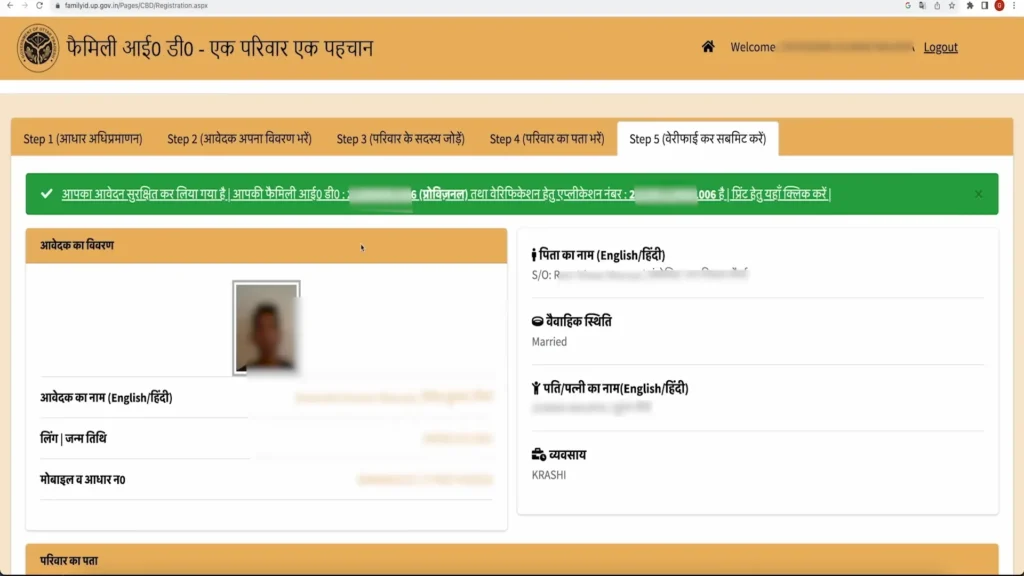
How to Log In to Your Family ID Account
Regular login steps:
Visit the portal login page.
Enter your registered mobile number and password.
Enter the captcha if prompted.
Submit to reach your dashboard.
If you forgot your password, use the password reset option on the portal. Competitor articles often skip the reset section but this is one of the most requested actions from users.
How to Check Your Application Status
After submitting your application, you should check whether it is approved or still pending. This is a very important step many guides ignore.
Go to the Track Application section on the portal.
Enter your application number or registered mobile number.
Submit to see the current status.
Typical statuses you may see include:
Knowing exact status helps you act faster and avoid long waits.
How to Download Your Family ID Certificate (Parivar Pehchan Patra)
Once your application is approved:
Login to your account.
Go to the Download Parivar Pehchan Patra section.
Enter your application number or Aadhaar number.
Click download and save the PDF.
Always save both a digital and printed copy. You may need it when applying at welfare offices or for scheme benefits.
Updating Family Details After Registration
Life changes happen. It’s normal to add a newborn, remove someone who moved away, or update address because you changed homes.
Inside your dashboard, look for the update details section. You can modify:
Updating these details is useful because many welfare services check the Family ID data before processing benefits.
How to Link Bank Account to Family ID
This step is often overlooked but very important:
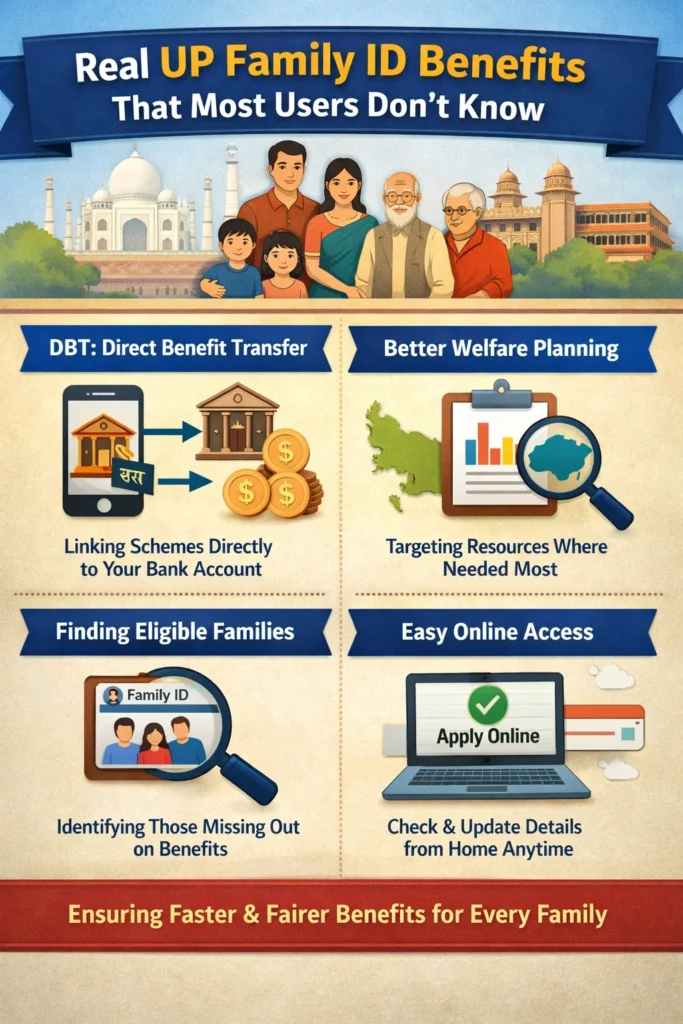
Linking your bank account ensures that benefit money reaches directly into your bank without intermediaries.
Keep your bank account number, IFSC code and Aadhaar linked to your mobile ready.
Use the dashboard option to link your bank account.
This makes Direct Benefit Transfer (DBT) faster and without errors later.
Common Problems and Why They Happen
Real users online report a few common issues that official guides do not always clarify:
because of network issues or SMS blocking settings.
if the family data entered does not match exactly with Aadhaar records.
for verification if documents are unclear or mis‑entered.
When something does not work, recheck spelling, document clarity, and mobile number accuracy. If problems persist, visit a computer service center (CSC) for support.
Why Family ID Matters
A lot of people think Family ID is just about having a number. It is actually a central tool for accessing welfare programs without repeated paperwork. Once your family record is verified, many government schemes can be automatically linked based on your eligibility. Competitor guides often forget to explain how this saves time.
The initiative is part of a bigger move by the Uttar Pradesh government to build a single digital database for every family in the state so welfare is more transparent and faster.
Quick Tips Before You Start
FAQs About UP Family ID Mobile App
Conclusion
The UP Family ID Mobile App (Parivar Pehchan Patra) system is designed to make government welfare services more accessible and transparent. By registering your family, logging in regularly, and keeping your details updated through the app, you can save time, reduce paperwork, and access government benefits more easily.
Always use the official portal for secure login, application, and downloads. Third-party apps can assist for tracking, but sensitive actions like registration and document submission are safest through government systems.


