
How to Merge Two Units in PPP Family ID After Marriage Steps
If you’ve recently married or a family member has moved in with you, you might be wondering how to Merge Two Units of your Family ID profiles into one. In the Parivar Pehchan Patra (PPP) system, it’s important to ensure that all family members are registered under one Family ID for proper benefits and access.
Merge Two Units may sound complicated, but don’t worry — I’ll walk you through the easy steps to combine your Family IDs and make sure everything is up to date
Why you might need to Merge Two Units
When two separate family IDs exist for what is essentially the same household — for example:
You got married and moved in with your spouse, but both of you still have separate Family IDs.
A child (or a spouse) moved from one household to join another, and each profile still shows a separate “family unit”.
This can cause issues like duplicate IDs, confusion in benefit eligibility, and missed schemes because the system doesn’t Merge Two Units and may treat you as two separate families. Check the Family ID Guide for general updates.
Understanding how merging works in the PPP system
Under the PPP system in some states (for example in Haryana) it is possible to Merge Two Units Family IDs so that all members are listed under one Family ID.
The process typically isn’t a full “self update” by the family alone; you usually need operator‑assisted mode (via a service centre, CSC or authorised operator) to initiate the merge.
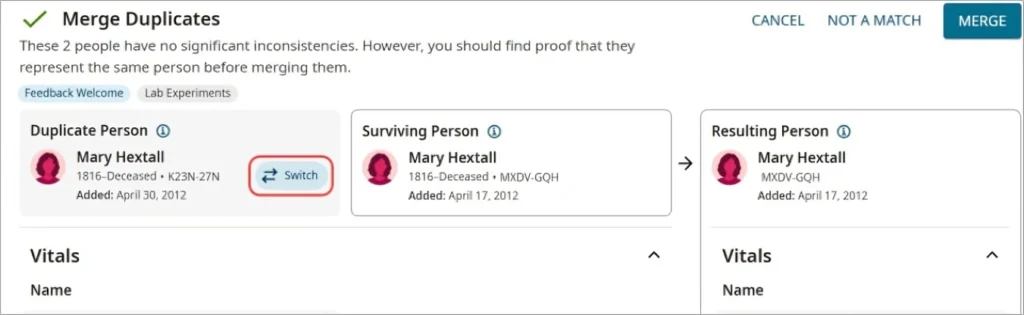
The merge usually involves selecting a “parent” Family ID (the one which will continue onward) and a “child” or “secondary” Family ID whose members will be moved over. After merging, the “child” ID is deactivated or marked as merged.
Step‑by‑step: How to merge your family units
Here’s what you and your spouse or households need to do:
If you’ve married or a family member has moved in, you may need to Merge Two Units under one Family ID. In the PPP system, keeping everyone under a single ID ensures proper benefits. Keep both existing Family ID numbers ready for merging
Decide which ID will be the “main” one — typically the household you are now part of or head of the family.
Because the merge requires operator assistance, go to the nearest CSC / Saral Kendra / Welfare office with both IDs, Aadhaar details of all family members, and proof of marriage or movement (if applicable)
The operator will select “Merge Family” on the PPP portal, enter the ID of the keeping family and the ID of the merging family, and select members to transfer.
For each transferred member, the relation to the head of the “main” family must be specified correctly (spouse, child, daughter‑in‑law, etc). Incorrect relations can cause mismatch or rejection.
After submission, you’ll get a confirmation that merge is successful. Then check the “main” Family ID profile to confirm all members show correctly. The “merged” ID will be inactive or show merged status.
Once merged, update any schemes, ration cards or benefits under the unified ID. Make sure bank account, Aadhaar, mobile number linkages are realigned if needed.
Tips to make the merge smooth
Bring all Aadhaar cards (for both households), mobile numbers, bank account information — this avoids delays.
Bring proof of marriage (marriage certificate, marriage registration, etc) if the merge is due to marriage.
Ask the operator which ID will continue (so you know which ID to quote for benefits later).
Once merged, check the new Family ID details online — verify family member list, income, address and bank details so nothing is missing.
If you had benefits under both IDs, check that benefits are transferred or re‑registered under the new ID; sometimes separate schemes need update.
Avoid doing the merge during busy times (end of month, scheme rush) because service centres may be crowded — pick a quieter day early in the week if possible.
Keep a copy (print or screenshot) of both your old IDs and the merge confirmation for your records.
What you should check after the merge
FAQs
Final thoughts
When You Merge Two Units under one Family ID is a smart move after changes like marriage or moving in together — it helps simplify records, avoids confusion, and makes sure your family is treated as one unit for schemes. It does require a visit and some paperwork, but once done, you’ll likely see smoother access to benefits. Think of it like combining two utility accounts into one: a little effort now, less hassle later.


