
How to Report Lost Family ID Online Without CSC Help in 2026
Report Lost Family ID in Haryana easily without visiting a CSC. Losing your Parivar Pehchan Patra (PPP) can be stressful, but you can report your lost Family ID online using your Aadhaar and mobile number for quick recovery.
This guide walks you through the easiest digital steps, clear explanations, and smart tips so you can solve the problem quickly without a physical visit.
What Happens When You Lose Your Family ID
Your Family ID is an important 8‑digit number that represents your household in the Haryana government system. If you lose it, you might face delays when applying for schemes like pensions, ration card help, scholarships, or welfare benefits. The good news is the Haryana PPP portal lets you find and download your Report Lost Family ID online if your Aadhaar details are already linked and verified.
Before You Start
Before trying to recover or report lost Family ID online, make sure you have:
If your Aadhaar isn’t linked to your mobile number, you may need to first update that with UIDAI before using the online system. Single-person households in Haryana can follow this process to get their Family ID quickly and accurately.
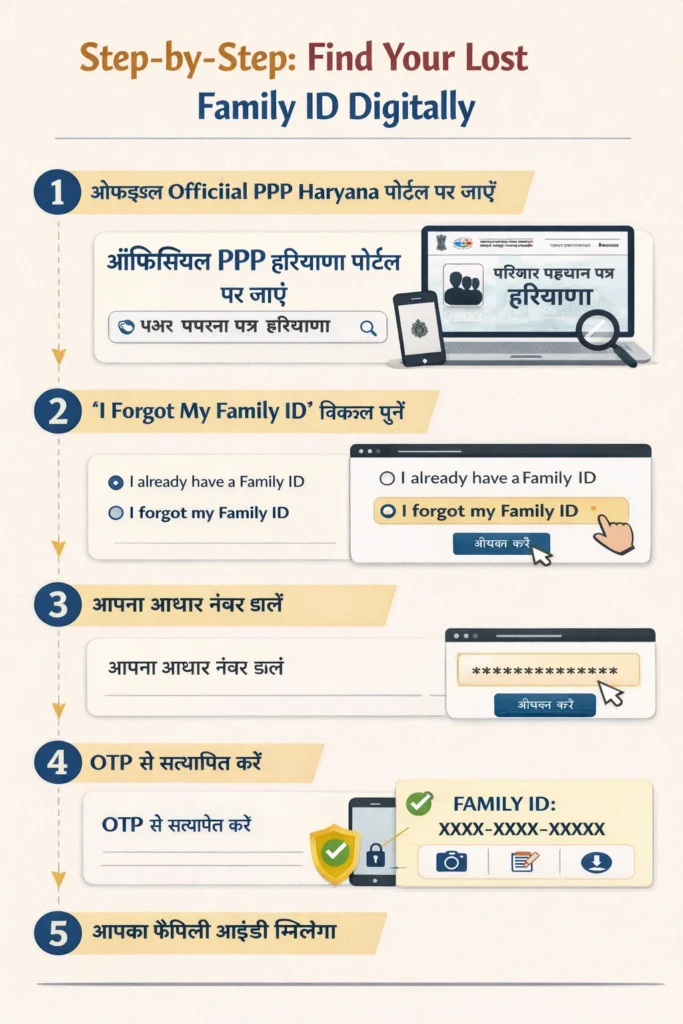
Step‑by‑Step: Find Your Report Lost Family ID Digitally
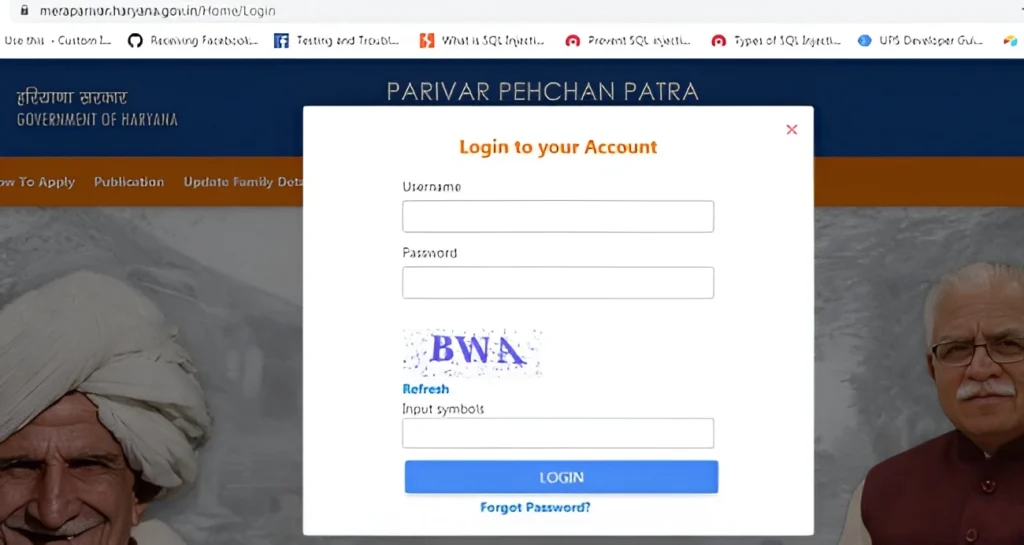
Go to the Official PPP Haryana Portal
Open the Parivar Pehchan Patra (PPP) portal of Haryana on your phone or computer. This is the official government site to manage Family ID services.
Choose the “I Forgot My Family ID” Option
On the portal, look for the login or citizen section. You’ll usually see an option like:
1.“I already have Family ID”
2.“I forgot my Family ID”
Select the “I forgot my Family ID” option.
Enter Your Aadhaar Number
Type your Aadhaar number in the box shown. The system will use your Aadhaar to search for the Family ID associated with your profile.
Verify With OTP
You will receive a One Time Password (OTP) on the mobile number that is linked with your Aadhaar. Enter the OTP correctly to prove that you are the owner of the Aadhaar/mobile number.
Your Family ID Appears
Once the OTP is verified, the system will show your Family ID on the screen. You can now:
1.Take a screenshot
2.Write it down safely
3.Proceed to download it if available
How to Download the Lost Family ID PDF
After your Report Lost Family ID appears on the screen:
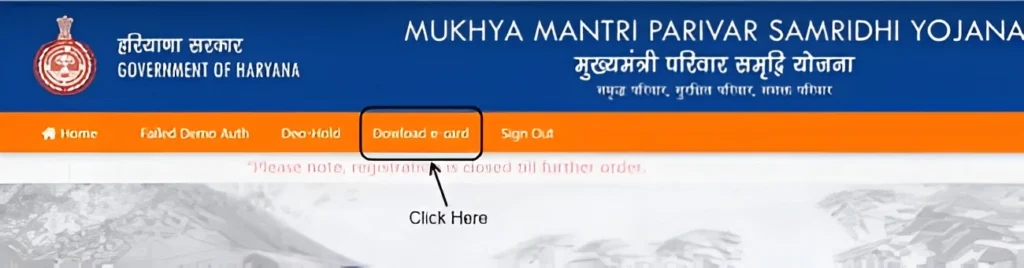
Look for a Download or Print button
Click it and download your Family ID card as a PDF
Save it on your phone or email it to yourself for safekeeping
This PDF is official and can be used anywhere you need your Family ID number.

What to Do If Your ID Isn’t Found Online
Sometimes the portal won’t show your Family ID even after OTP verification. This can happen if:
Your Aadhaar and mobile number aren’t linked
The record is still under verification
Details were entered incorrectly in the database
Your Family ID was created recently and not fully activated
In that case, try:
Double‑checking your Aadhaar and mobile number
Logging in after a day or two
Using the same mobile number you had at the time of initial registration
If none of that works, you may need help from a local Saral Kendra or government support, but start with the online method first.
Smart Tips to Help You Avoid Losing Your Family ID Again
Here are practical tips that people find helpful:
These tips help you recover it fast next time without visiting any centre.
Frequently Asked Questions (FAQs)
Final Thoughts
Losing your Family ID might feel stressful at first, but the good news is that you can Report Lost Family ID, & also recover, and download it digitally without needing to visit a CSC, as long as you have your Aadhaar and mobile linked correctly. Following the easy OTP‑based steps will save time and make sure you’re ready to use your Family ID for all official purposes.


