
A Complete Guide to Haryana Family ID Registration (PPP)2026
Haryana has introduced the Parivar Pehchan Patra (PPP) scheme to streamline the identification process for families across the state. The aim of this initiative is to ensure that every family has a unique identification number, providing easy access to government services and benefits. This guide will walk you through the process of Haryana Family ID Registration, what documents are required, and how to track your application status.
What is the Haryana Family ID?
The Parivar Pehchan Patra (PPP), or Haryana Family ID, is a unique identification number issued to every family in Haryana. It acts as a digital record that links family members and helps access multiple government schemes without the need to provide multiple documents. “The PPP registration is free of cost and aims to make government services more accessible and efficient for residents. To get started, simply visit the PPP Haryana login page.”
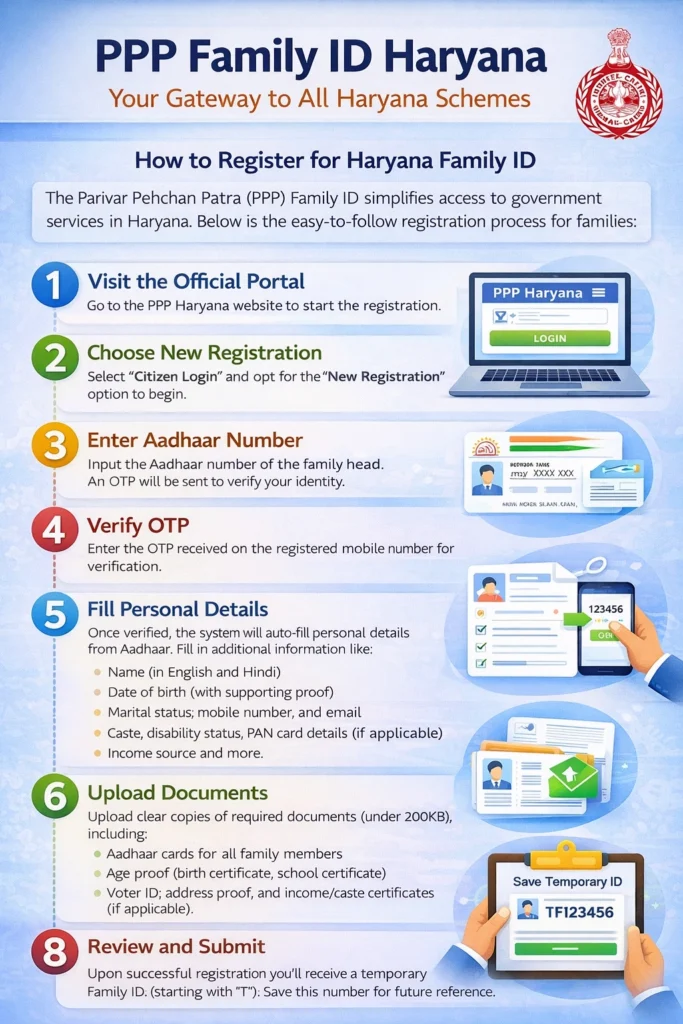
How to Register for Haryana Family ID (PPP)
Follow these simple steps to complete your Haryana Family ID registration:
Visit the Official Portal:
Head to the official PPP Haryana website: PPP Haryana Portal.
Create a New Family ID:
On the homepage, click on the “Citizen Login” option. If you don’t have an existing Family ID, select “No” to create a new one. You will need to enter the Aadhaar number of the family head.
Enter Aadhaar Details and OTP Verification:
Enter the Aadhaar number linked to the head of the family. After this, an OTP will be sent to the mobile number registered with Aadhaar for verification.
Fill in Personal and Family Details:
After successful verification, you will be required to fill in personal details, such as your name, date of birth, marital status, mobile number, and family details. If applicable, you will also need to submit information about your income, caste, and disability status.
Upload Required Documents:
Ensure that you have the following documents ready for uploading:
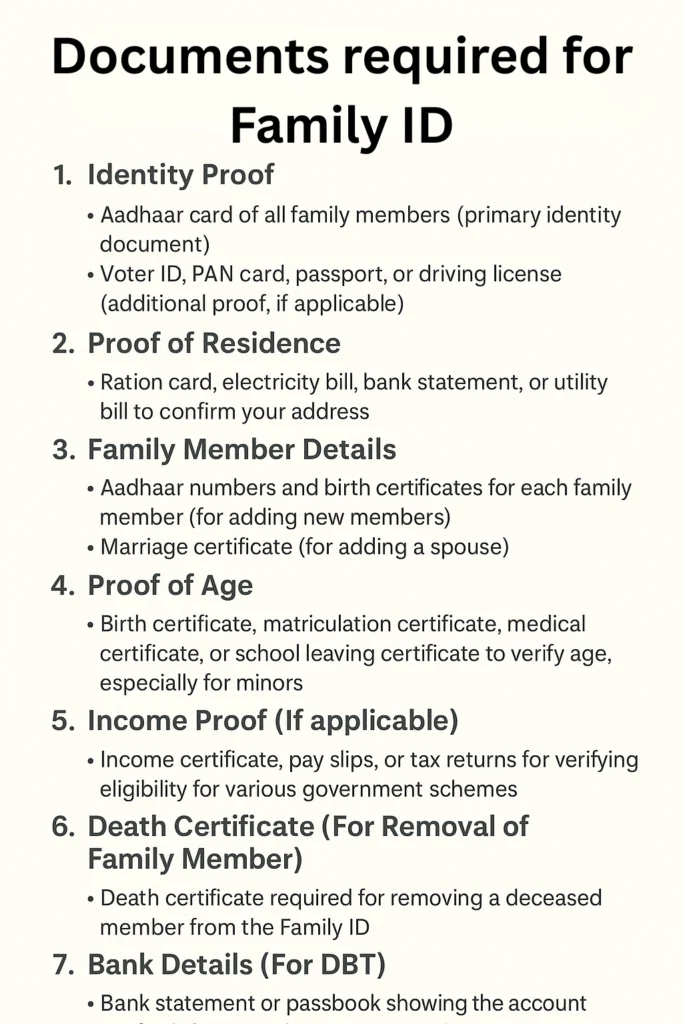
1.Aadhaar cards of all family members
2.Proof of age, such as birth or school certificates
3.Proof of address, like electricity bills or bank statements
4.Voter IDs (for adults) and any other relevant documents like PAN cards
Make sure each document is in PDF format and under 200 KB in size.
Submit the Application:
After entering all details and uploading the necessary documents, review the information carefully. Once confirmed, click Submit. Upon successful submission, you will receive a temporary Family ID (starting with ‘T’), valid until your application is verified.
Track Your Application:
After submission, you can track your application status using the temporary ID number or the registered mobile number. Typically, the verification process takes about 10-30 days.
Permanent Family ID Issuance:
Once verified, you will receive your permanent Family ID. You can download it from the portal and use it for accessing government schemes and benefits.
Essential Documents Needed for Haryana Family ID Registration
To ensure your haryana family id registration goes smoothly, ensure you have the following documents ready:
Temporary vs Permanent Family ID: What You Need to Know
A temporary Family ID (starting with “T”) is issued immediately after you submit your application. It allows you to access limited services while your application is being verified. This ID is valid until the verification process is complete.
Once your details are verified, you will be issued a permanent Family ID. This ID grants you full access to government schemes, services, and benefits, including subsidies, pensions, and more.
Online vs Offline Registration Options
You can complete your Haryana Family ID registration through both online and offline methods:
Online Registration:
The PPP portal provides an easy-to-use platform for online registration. Simply visit the official website, fill out the required forms, upload documents, and track your application status online.
Offline Registration:
If you are not comfortable with online portals or need help, you can visit the nearest Common Service Centre (CSC) or Saral Kendra to complete the registration process with assistance from trained operators.
How to Track Your Haryana Family ID Application
Once you’ve submitted your registration, tracking the status of your application is easy:
Log in to the PPP Portal:
Use your temporary Family ID number or the registered mobile number to log in to the PPP portal.
Check Status:
The portal will display the current status of your application, including whether it is still under review or has been approved.
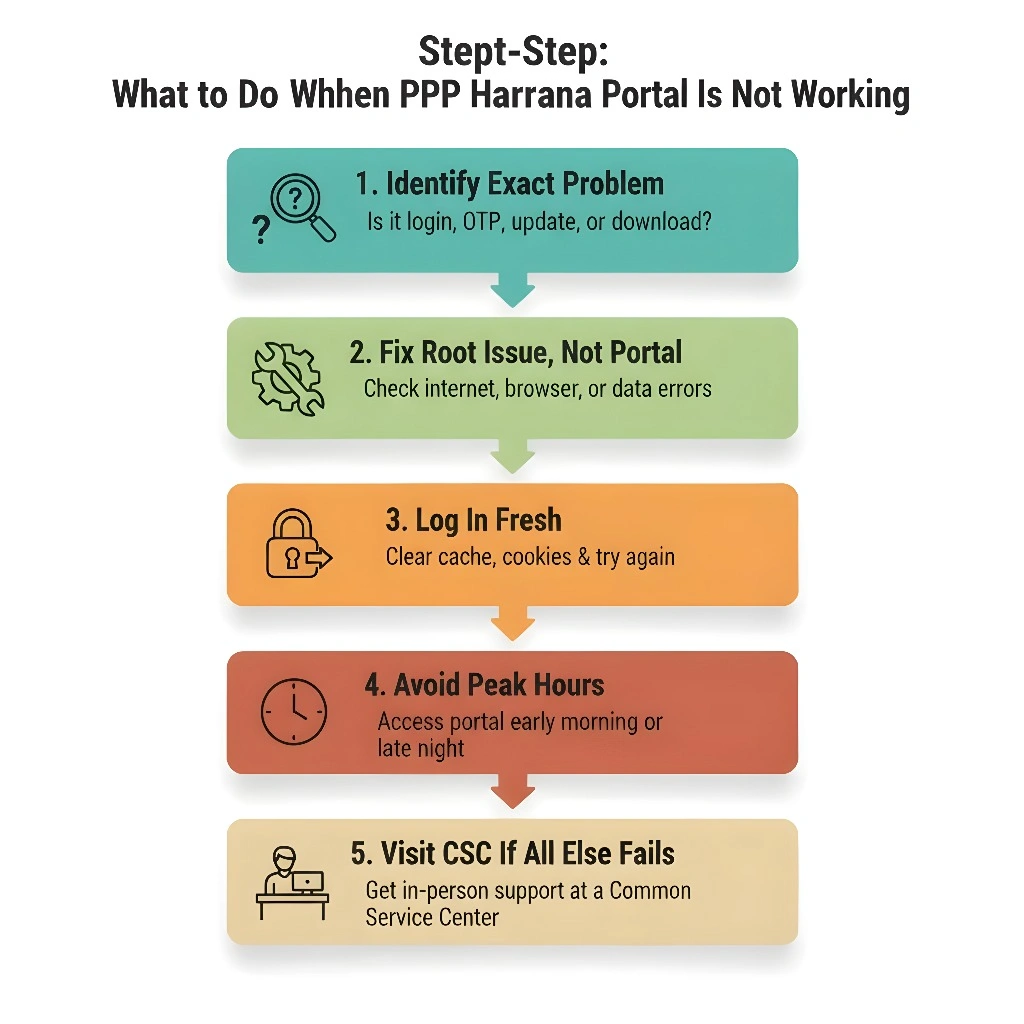
Common Registration Issues and How to Solve Them
Here are a few common problems users face during the Haryana family id registration process and how to fix them:
Ensure that your Aadhaar is linked to an active mobile number. If not, update it at an Aadhaar center.
Verify that the documents are in PDF format and under 200 KB. If needed, use PDF compression tools.
Clear your browser cache or try registering during non-peak hours when the server load is lighter
Double-check the Aadhaar number entered and ensure it’s up to date. If issues persist, visit an Aadhaar center.
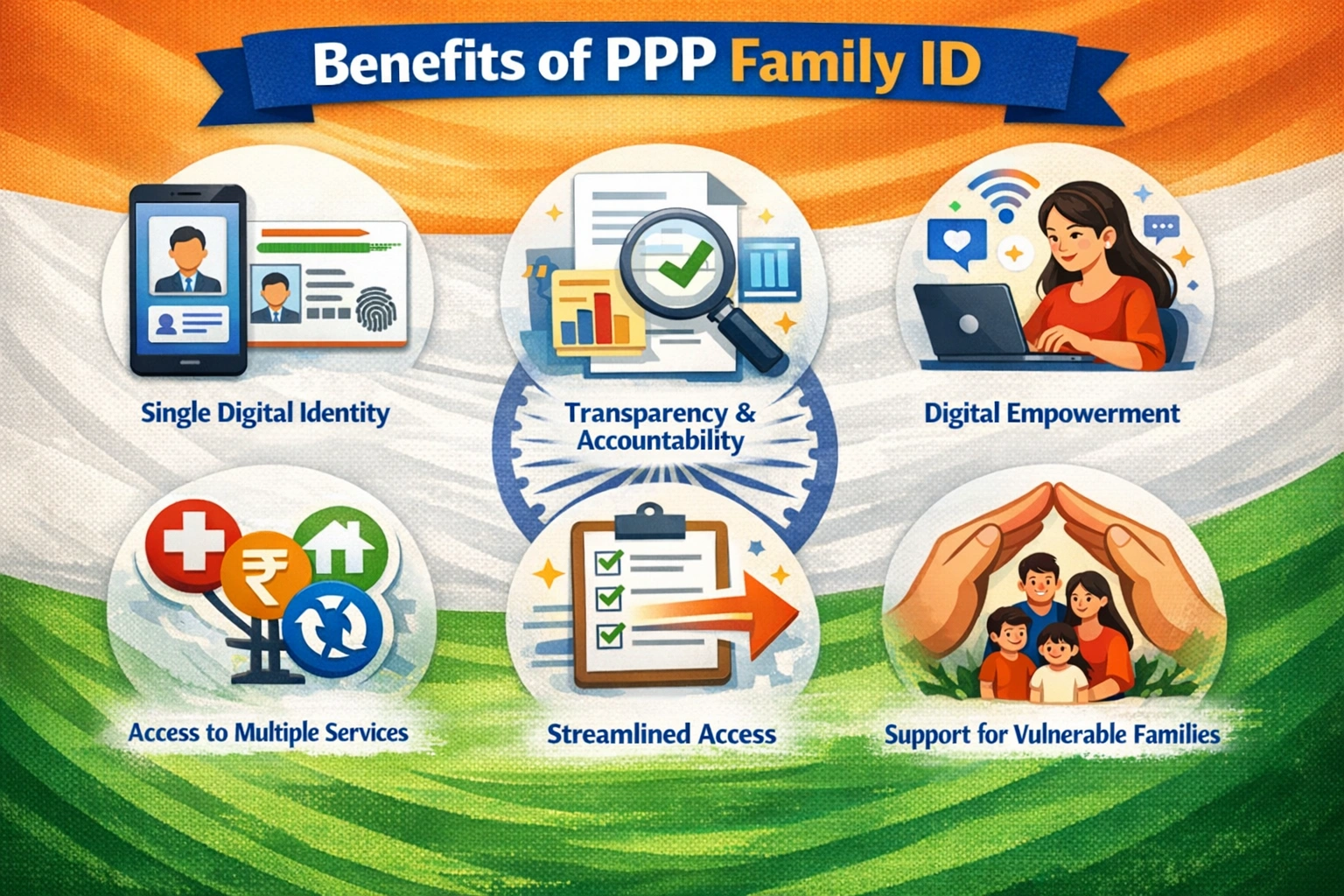
Benefits of PPP Haryana Family ID Registration
By registering for the Haryana Family ID, you can enjoy several advantages:
One-Time Registration: Register once and access multiple government services.
Easy Access to Benefits: The PPP ID simplifies the process of receiving benefits under various schemes.
Centralized Database:
All family information is stored digitally in one place, which is easier to update and manage.
Automatic Updates:
Some life events (such as birth, death, or marriage) are automatically updated in the system, reducing the need for manual updates.
FAQs About Haryana Family ID Registration
Conclusion
The Haryana Family ID (PPP Haryana) lets every family access government schemes easily. You can register for your Haryana Family ID online in just a few simple steps by submitting your family details and required documents on the official portal, then log in to track your ID and enjoy benefits like pensions, subsidies, and digital records. For any issues, visit your nearest Saral Kendra.


