
Add/Remove Minor Children in Family ID (Birth and Data Sync)
Updating your Haryana Family ID(Parivar Pehchan Patra / PPP) when a child is born or if a minor needs to be removed (for adoption or guardianship changes) can feel confusing. The good news is that you can do it — and this guide breaks it down into easy steps, with tips and common questions answered.
Add/Remove Minor Children in Family ID matters because it affects how benefits are calculated and how your family is seen in government records. Keeping this info accurate helps you access the right schemes and avoid future problems.
Why You Should Update Children Details in Family ID
Your Family ID should reflect the actual people in your household. If a child is born or added to the family and the Family ID doesn’t show this, it can cause issues like:
Wrong income or dependency count.
Missing eligibility for child‑related benefits.
Problems with linked schemes like scholarships or health programs.
Similarly, if a child moves out, is adopted, or is legally under someone else’s care, Add/Remove Minor Children in Family ID to keep records accurate.
What You Need Before You Get Started
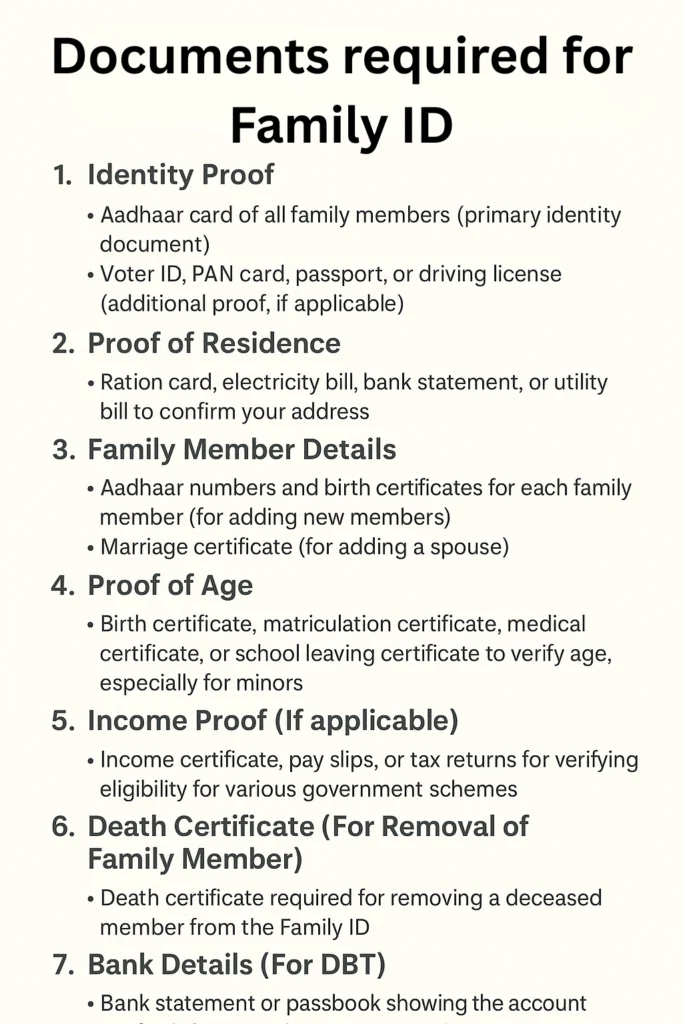
To add or remove a minor child in the Family ID system, you generally need:
If you don’t have scanned copies, take clear photos when you visit a service point. Adding or removing children incorrectly may lead to issues; see how to check for Family ID fraud.
Step‑by‑Step: How to Add a Minor Child in Family ID
Before you begin, make sure you have:
- Original birth certificate or hospital birth slip
- Photo/scan of the certificate
- Your Family ID number
- Aadhaar‑linked mobile number
This ensures the process is smooth when you log in or visit a service centre.
Tip: If your child doesn’t have a birth certificate yet, you can often use a hospital record to start the update and provide the certificate later.
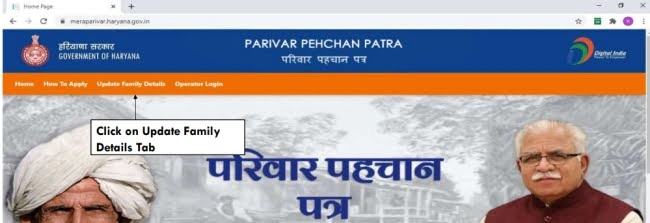
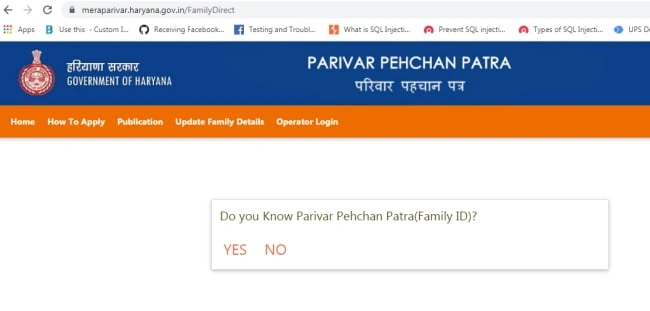
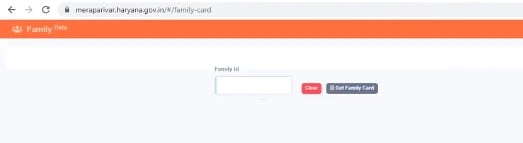
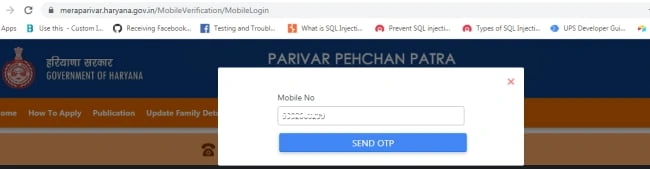
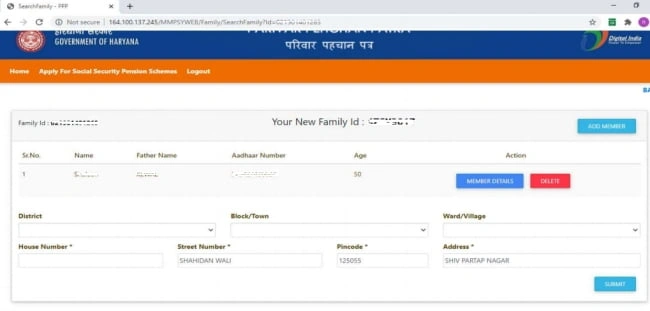
If the official Family ID portal allows updates online:
- Login with your Family ID or Aadhaar credentials
- Go to Family Member Update/Addition
- Choose Add Child
- Enter the child’s name, date of birth, gender and other asked details
- Upload the birth certificate / hospital record
- Submit the update request
The portal will show a confirmation or reference number once submitted.
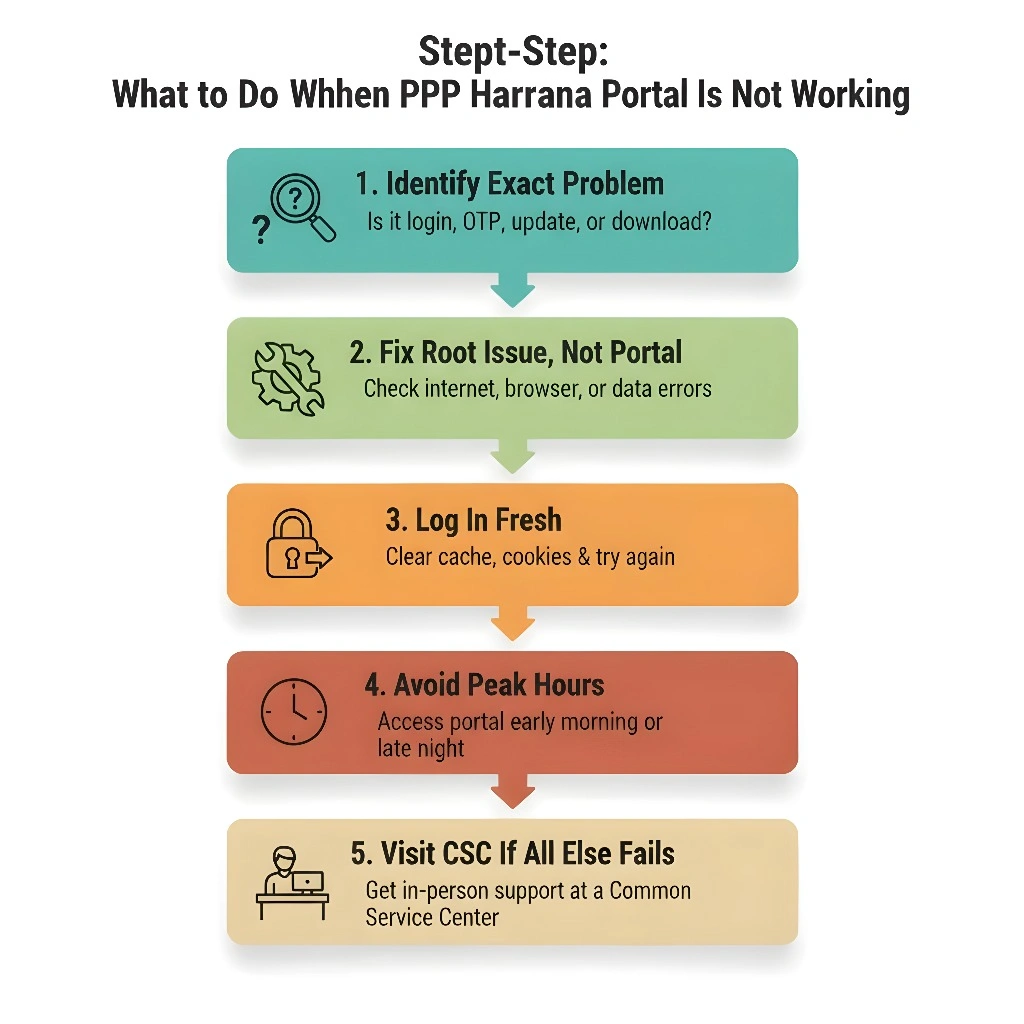
Many times, the online portal doesn’t allow direct edits for new children. In that case:
- Visit your nearest Common Service Centre (CSC)
- Take originals and copies of the birth certificate/hospital record, Aadhaar, and Family ID number
- Explain that you want to add a newborn to your Family ID
- The operator will file the update request
Step‑by‑Step: How to Remove a Minor Child from Family ID
Removing a child is usually needed when:
Step 1 – Collect Legal Documents
To remove a child, you’ll need:
1.Adoption certificate or legal court order
2.Proof that the child is no longer part of your household
3.Without legal proof, most systems will not allow Add/Remove Minor Children in the Family ID.
Step 2 – Visit a CSC (Usually Required)
Because removal affects legal status:
1.Go to a Common Service Centre with your documents
2.Explain that you need to remove a minor child from your Family ID
3.Provide original and photocopies of the legal proof
The operator will lodge a correction/removal request
Tip: Always check the document names and numbers before submission. If even one detail is wrong, the request may get rejected.
How Long Does the Update Usually Take?
Once you submit an addition or removal request:
It may take a few days to a couple of weeks for verification
After verification, the child will appear added or removed in your Family ID.
You can check status using the reference number
If you don’t see an update after the expected period, it’s a good idea to return to the CSC and ask to Add/Remove Minor Children in the Family ID for a follow‑up.
Tips for a Smooth Process
FAQs
Conclusion
Add/Remove Minor Children in your Family ID may seem tricky at first, but once you know the steps and have your documents ready, it gets much easier. Always prepare your proofs, take copies, and get a reference number when you submit your request. Regularly checking and updating your Family ID helps make sure your benefits and records stay accurate.


