
Check Haryana Family ID (Parivar Pehchan Patra) Status Guide
Once you’ve applied for your Haryana Family ID or Parivar Pehchan Patra (PPP), staying updated on the Status Guide of your application is essential. This Status Guide will walk you through the process of checking your PPP Haryana application, what each status means, and how to resolve issues if your application faces delays or rejections.
Steps to Check Your Haryana Family ID Status Guide
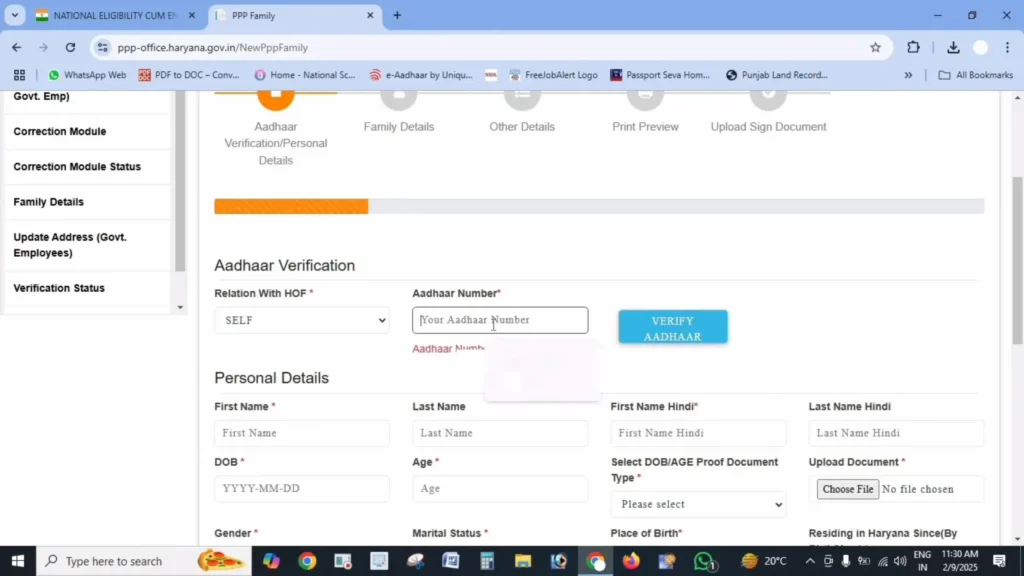
Follow these simple steps to track the Status Guide of your Haryana Family ID application:
Visit the Official Website
Go to the Mera Parivar Portal using your web browser, either on your mobile or computer.
Locate the Status Check Option
On the homepage or dashboard, click on the “Status Check” option to proceed.
Enter Your Details
You will need to provide either:
1.Your Family ID number
2.The Application number (if you received one during registration)
3.Your Registered mobile number
Verify with OTP
If you’re using your mobile number, an OTP will be sent to your phone. Enter the OTP for verification.
View Your Status
Once verified, you’ll be able to view the current status of your application.
Understanding Different Application Status
When you check your application status, it may show one of the following:
Status: Processing / Pending
Status: Approved
Status: Rejected
Checking the Status of Updates to Existing Family ID
If you’ve made changes to your Family ID (e.g., adding a new member or updating details), you can check the Status Guide of those updates:
What to Do if Your Application Status Shows “Rejected”
If your application status is rejected, here’s what you can do:
The portal will provide specific details about why the application was rejected.
Based on the reason, either correct the information or upload the proper documents.
After making the necessary corrections, submit the application again.
Visit your nearest Saral Kendra if you need assistance with reapplying or fixing errors.
Common Problems When Checking Your Haryana Family ID Status
Here are some common issues people face when trying to check the Status Guide of their Haryana Family ID application, along with their solutions:
“Application Not Found” Error:
Solution: Double-check that you’ve entered the correct application number, Family ID, or mobile number. Ensure there are no typing errors.
OTP Not Received:
Solution: Ensure that your mobile number is correctly registered. If network issues occur, wait a few minutes and try again. You can also check your status by entering your application number instead of your mobile number.
Website Not Loading:
Solution: This could be due to high traffic on the portal. Try accessing the website during non-peak hours or clear your browser cache and try again.
Other Methods to Check Your Status
If you’re unable to check your status online, there are alternative methods available:
Important Links for Haryana Family
Frequently Asked Questions
Conclusion
Checking the Status Guide of your Haryana Family ID is a simple process that ensures you stay informed about your application’s progress. Whether your application is in processing, approved, or rejected, knowing how to track it is essential for taking timely action. If you encounter issues, visit a Saral Kendra or contact the helpline for additional support. Keep your application number and reference details safe for easy future access.


