
Update Guardianship or Parents in Family ID for Orphaned Kid
When a child becomes orphaned, meaning both parents are unavailable, it’s important to update the PPP Family ID record to reflect the Update Guardianship or parents. This helps the child continue to receive government benefits, scholarships, education support, healthcare, and other services tied to Family ID.
In states like Haryana, the Parivar Pehchan Patra (Family ID) system keeps track of family members and relationships so government programs work smoothly. But when a child doesn’t have parents, their guardian or caregiver must be updated in the system to avoid confusion and to ensure access to benefits.
What Happens with Orphaned Children in Family ID
Orphaned children don’t automatically disappear from the Family ID system. There’s a process to make sure they’re still linked to a valid family structure or guardian so they can get what they’re entitled to.
In some cases, especially in places like Haryana, the government has added special options to issue a Family ID to orphaned children. They may be registered under the name of a shelter home or the caregiver.
Who Can Be Listed as Guardian
A guardian can be:
A close relative (grandparent, uncle, aunt)
A caregiver recognized by an orphanage or shelter
A court‑appointed legal guardian
This guardian’s details should be updated in the child’s Family ID so all records and benefits align correctly.
How to Update Guardianship in Family ID
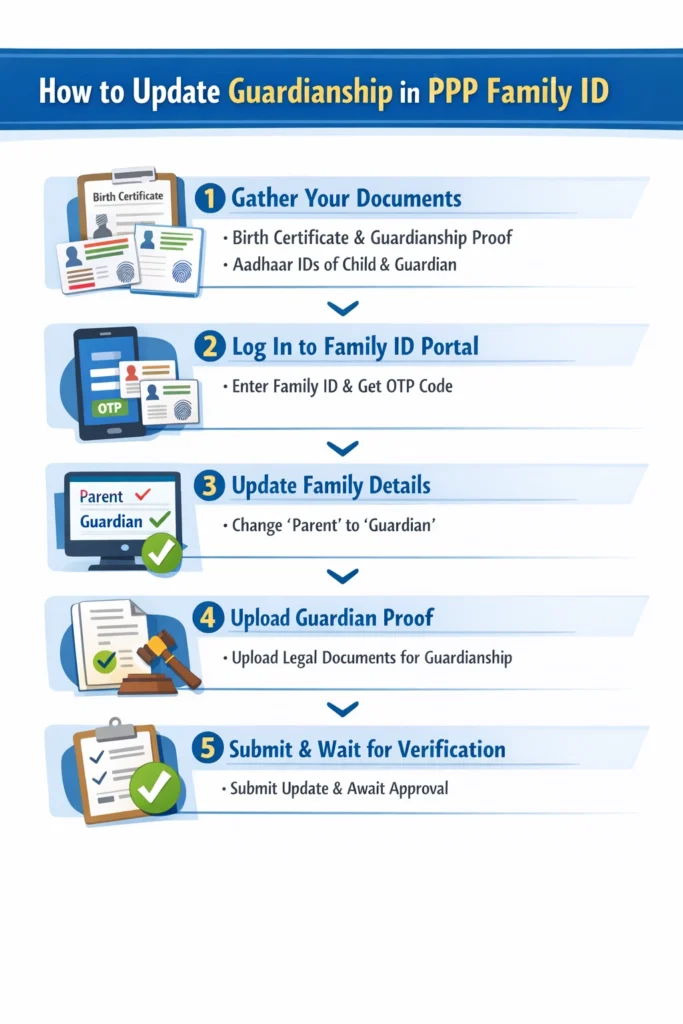
Here’s a simple and clear way to Update Guardianship or parents guardians for orphaned children in the Family ID system:
Gather Your Documents
Before you start, make sure you have these ready:
• The orphaned child’s birth certificate or proof of identity
• Guardianship certificate (if appointed by court)
• Aadhaar numbers of child and guardian (if available)
• Any supporting official documents like orphanage proof or legal papers
Log In to the Family ID Portal
To update Family ID details, you usually log in with the existing Family ID number or Aadhaar number. You’ll receive a verification code (OTP) on the registered mobile number to access the dashboard.
Once inside, you can view all family members linked to that ID.
Use the “Update Family Details” Section
Look for the Update Family Details or Correction Module section. Here you can add or edit relationships in the Family ID.
Click on Add Member or Edit Member and choose the orphaned child. Change the relationship from “parent” to “guardian” or similar status as required.
Upload Proof for the Guardian
After updating the guardian details, upload the legal or official proof showing guardianship. This may be a court‑issued certificate or a document from the orphanage if the child is in a shelter home.
This helps the system accept the Update Guardianship without issues.
Submit the Update and Wait for Verification
Once everything is filled and uploaded, submit your Update Guardianship. The government system will verify the documents and make sure the change is correct.
This verification step can take time, but once it’s approved, the child’s Family ID will show the new guardian correctly. And Connect insurance and health schemes to your Family ID online for easy access and updates.
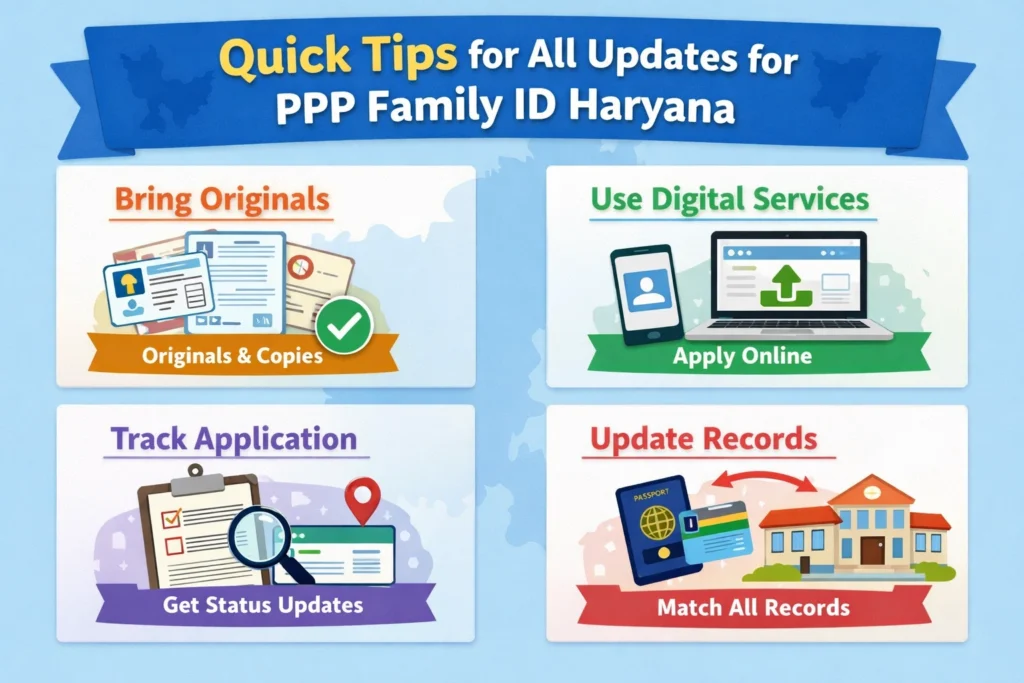
Tips to Make the Update Smooth
Why These Updates Matter
Updating parents or guardians properly is more than a formality. Family ID is used by the Haryana government to decide eligibility for many benefits like:
Without the right guardian shown, the child might miss out on important support that they’re entitled to.
Common Questions Parents and Caregivers Ask
Final Thoughts
Update Guardianship or parentship details for orphaned children in the Family ID system is an important step to make sure their records are correct and benefits reach them without trouble. It might sound a bit technical at first, but once you know the steps and documents needed, it becomes manageable.
Start by gathering the right proof, log in to your Family ID account, update the guardian field, and follow the submission and verification steps.


