
How to Register Guardians or Trustees in Haryana PPP Family!
Parivar Pehchan Patra (PPP) is a Haryana Family ID system introduced by the Government of Haryana to create a verified and reliable family database. Every family gets a unique Family ID, and members can register guardians or trustees to manage family benefits. This helps families automatically access welfare schemes like pensions, subsidies, ration cards, scholarships, and more, reducing paperwork and making government services easier to use.
When a child is minor or someone needs legal authority to act on behalf of the family, you must register guardians or trustees in the PPP Family ID. This ensures the person’s details are registered officially and linked correctly in the system.
What Is PPP Family ID Haryana
In Haryana, PPP stands for Parivar Pehchan Patra, which means a Family ID issued to every household. It is usually an 8-digit number (or a 9-digit number starting with “T” for temporary families). This ID stores essential details of all family members like name, Aadhaar number, income, address and relationships linked to one family unit. The Haryana government uses this data to deliver services and schemes efficiently.
Why You May Need to Register Guardians or Trustees
If a child or dependent needs someone to act on their behalf for official purposes
When the primary guardian is unavailable due to travel, illness, or death
For legal matters where a trustee must manage certain responsibilities
To include a guardian in the PPP Family ID database so they can access benefits or services
Register guardians or trustees ensures that whenever there is an official requirement, the database already recognizes the correct person legally responsible.
Documents You Will Usually Need
Before you start the registration, make sure you have these documents ready:
These documents help ensure your application is accepted without verification delays.
How to Register Guardians or Trustees in PPP Family ID Haryan
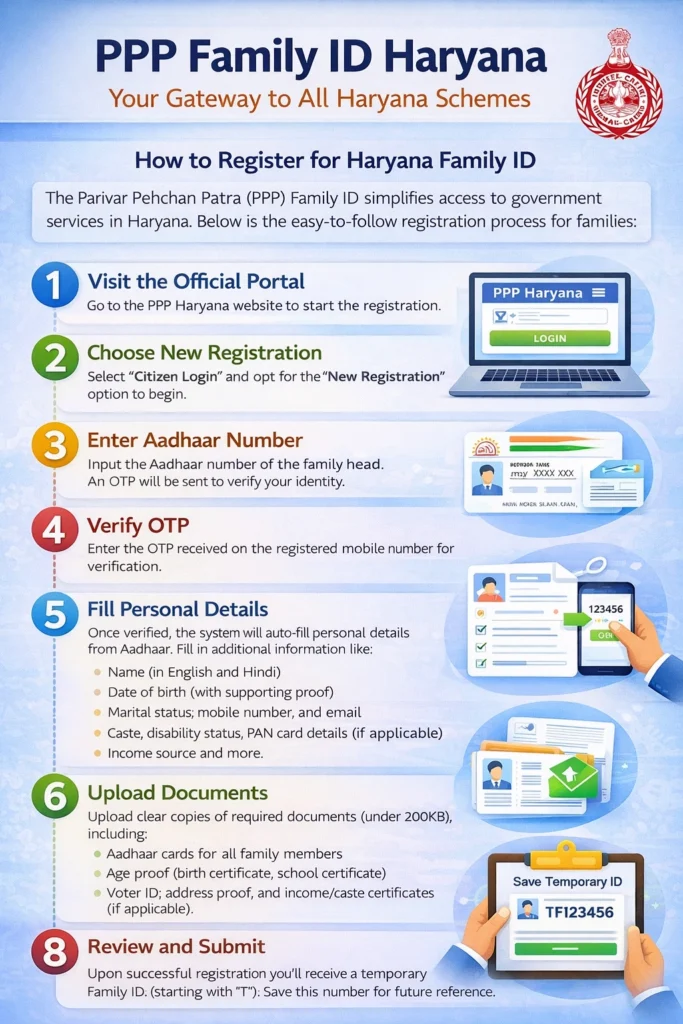
Visit the Official PPP Haryana Portal
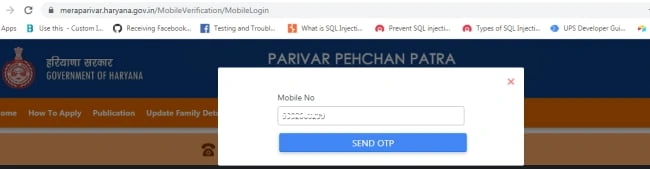
Open the official Parivar Pehchan Patra website of Haryana, such as meraparivar.haryana.gov.in. Only use official portals to protect your personal information.
Choose Citizen Login
1.If your family already has a PPP Family ID, select “Citizen Login”.
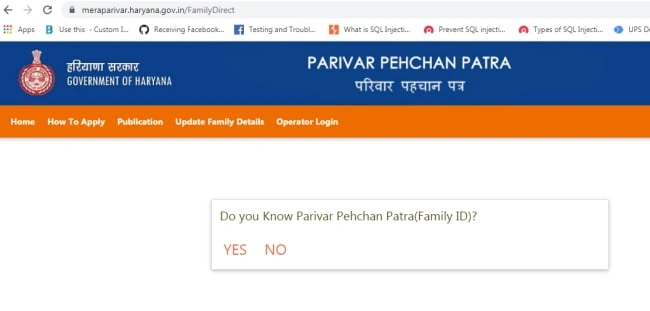
2.If you know your Family ID, enter it.
3.If you only know your Aadhaar number, choose the option to search by Aadhaar and verify with OTP sent to the linked mobile number.
Fetch Family Details
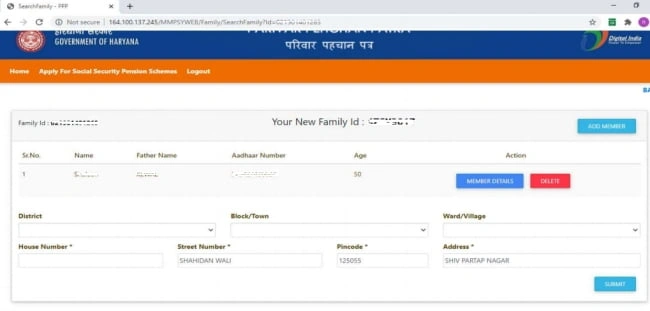
Once logged in, the portal will fetch details of your family based on the Family ID or Aadhaar information.
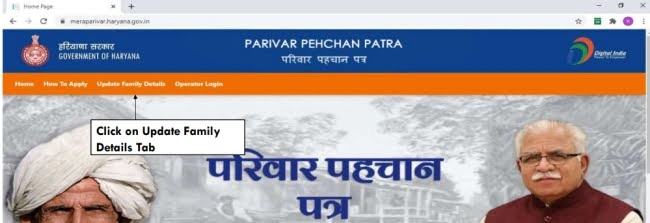
Look for the section that lets you update family member details.
Add Guardian/Trustee Information
1.Find the option to add a guardian or trustee.
2.Enter te guardian’s Aadhaar and personal details.
3.Enter the relationship with the family head.
4.Upload supporting documents like a legal affidavit or court order if required.
Verify With OTP
After entering the guardian’s details, you will receive an OTP (One Time Password) on the registered mobile number.
Enter this OTP to verify the details.
Verification through OTP is necessary to confirm that the details are correct and linked to the right Aadhaar/mobile number.
Submit and Save Changes
Check all the details carefully before submitting the form.
Make sure the guardian’s name, Aadhaar number, and relationship are correct.
After submission, the portal will show a confirmation message. You may also get a reference number to track the update status.
In most cases, Family ID updates take a few days for verification and approval.
How to Update or Modify Guardian Details Later
If the guardian’s information needs modifications, you can:
Login to the PPP portal again using your Family ID or Aadhaar
Go to Update Family Details section
For legal matters where a trustee must manage certain responsibilities
Submit and wait for verification
Whether it’s adding a new guardian, removing one, or correcting details, the update process is the same.

Benefits of Registering Guardians or Trustees in PPP Family ID
Step-by-Step Guide to Add Guardians or Trustees in PPP Family ID
Open meraparivar.haryana.gov.in and use only official portals to protect your data.
- Enter Family ID or search by Aadhaar
- Verify with OTP sent to the registered mobile number
The portal will display your family information. Look for the update family member details section.
- Enter guardian’s Aadhaar and personal details
- Specify relationship with family head
- Upload supporting documents (affidavit, court order) if required
An OTP is sent to the registered mobile. Enter it to confirm details.
- Review all details carefully
- Submit the form
- Save the confirmation message and reference number
Note: Updates usually take a few days for verification and approval.
How to Modify or Remove Guardian Details Later
If a guardian’s details need changes:
Navigate to the Update Family Details section
Modify, remove, or correct guardian information
Submit changes and wait for verification
This ensures the Family ID database stays accurate and legally valid.
Tips for Smooth Registration
Many families still need operator support, so these service centers can help complete or update the process. During COVID-19 and other health emergencies, Family ID can be used to access relief and medical assistance efficiently.
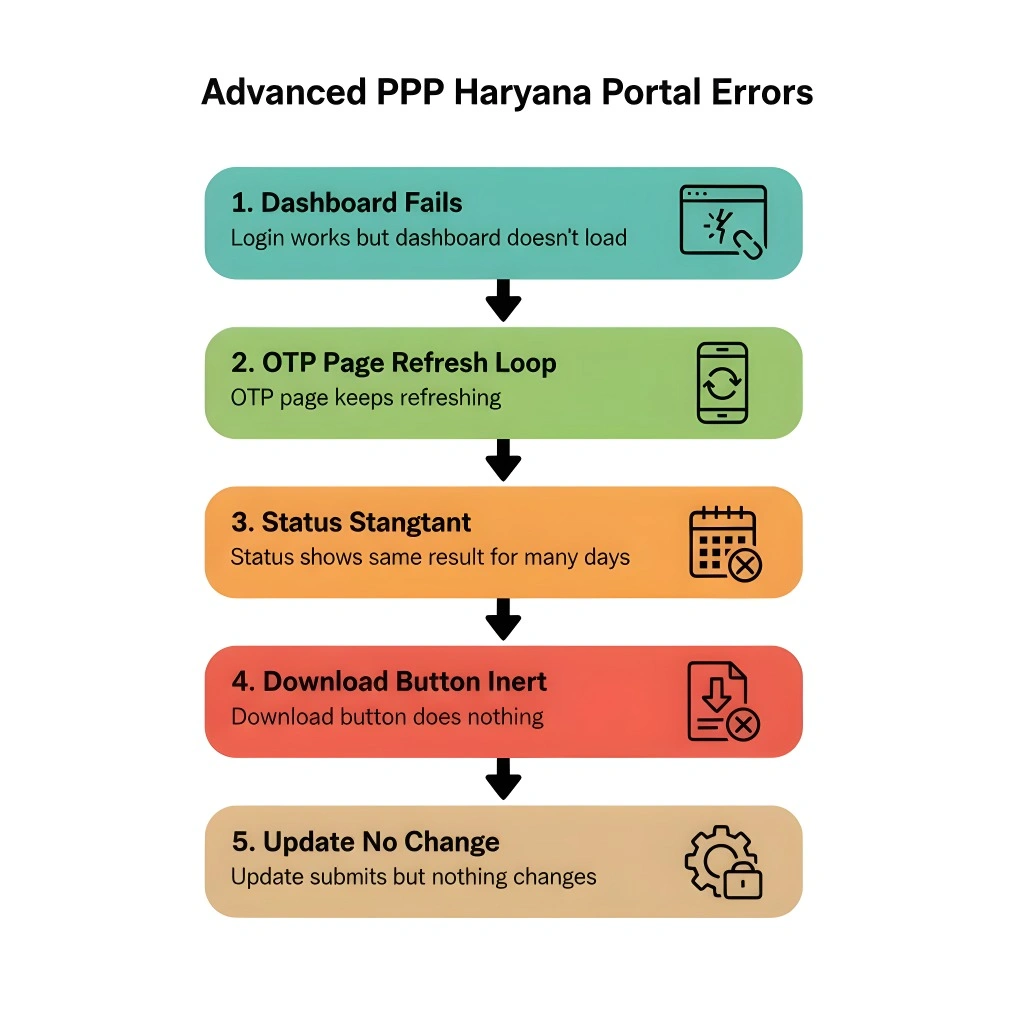
Common Issues and How to Fix Them
Check the mobile network and ensure the mobile number is linked with Aadhaar.
Try logging in after a few hours. Sometimes verification takes time on the portal.
Contact support at the nearest CSC or Saral Kendra and ask for help updating the Family ID.
FAQs
Final Thoughts
Register Guardians or Trustees in the PPP Family ID Haryana system helps family members legally and officially benefit from welfare services without delays.
Once You Register Guardians or Trustees correctly, your PPP Family ID becomes a reliable record for accessing government schemes and handling official needs related to guardianship.


