
How to Apply for UP Family ID Online (Step‑by‑Step Guide)
If you’re living in Uttar Pradesh and want to get your Family ID (UP Parivar Pehchan Patra), this guide will walk you through the process in simple and clear language. No confusing jargon. Just straightforward steps to apply online, what you need, and some helpful tips. Apply for UP Family ID online with easy steps, required documents, and tips. Simple guide for Uttar Pradesh residents to get Parivar Pehchan Patra fast.
What is UP Family ID?
The UP Family ID is a unique 12-digit identification number assigned to each family in Uttar Pradesh. It helps in collecting family details in a digital format and makes it easier to avail benefits from various government schemes, such as welfare programs, pensions, scholarships, health schemes, and more.
Think of it as a digital family card that simplifies your access to government benefits.
Why You Should Apply Online
Applying for the Family ID online is a great option because:
Step-by-Step: How to Apply for UP Family ID Online
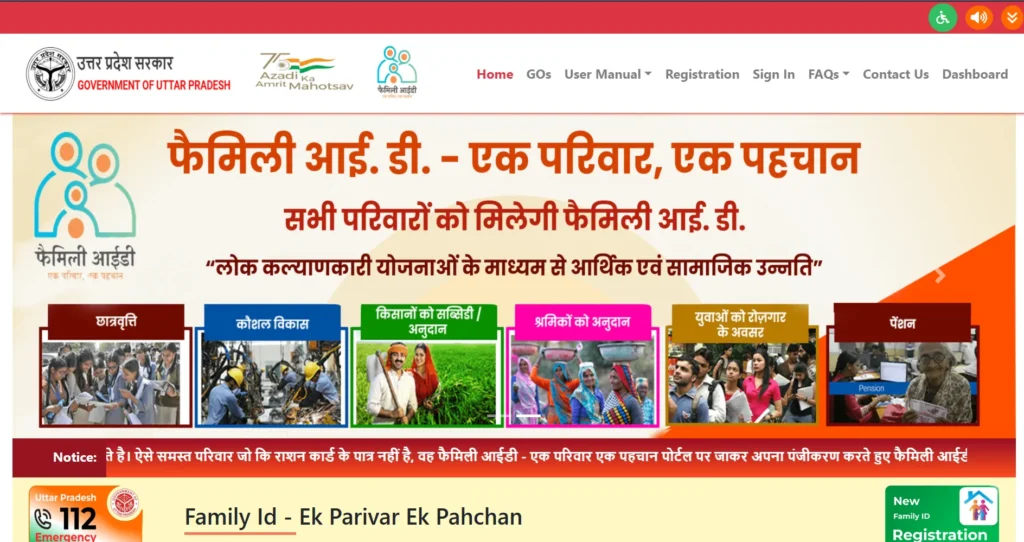
Visit the Official UP Family ID Website
The first step is to visit the official website for the UP Family ID
Make sure you’re on the official site to avoid scams or unofficial links.
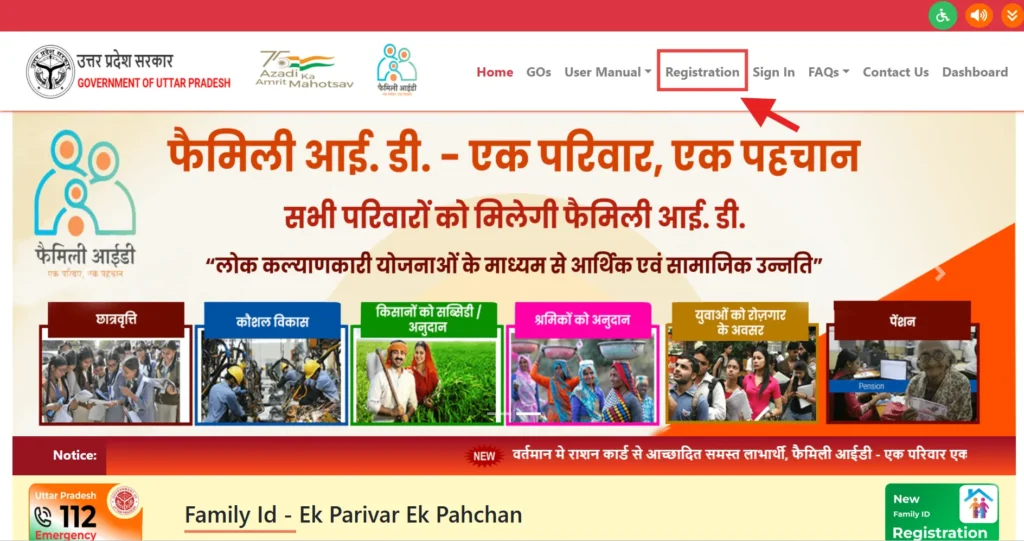
Click on “New Registration”
On the homepage, you’ll find the “New Registration” button. Click on it to start your application process.
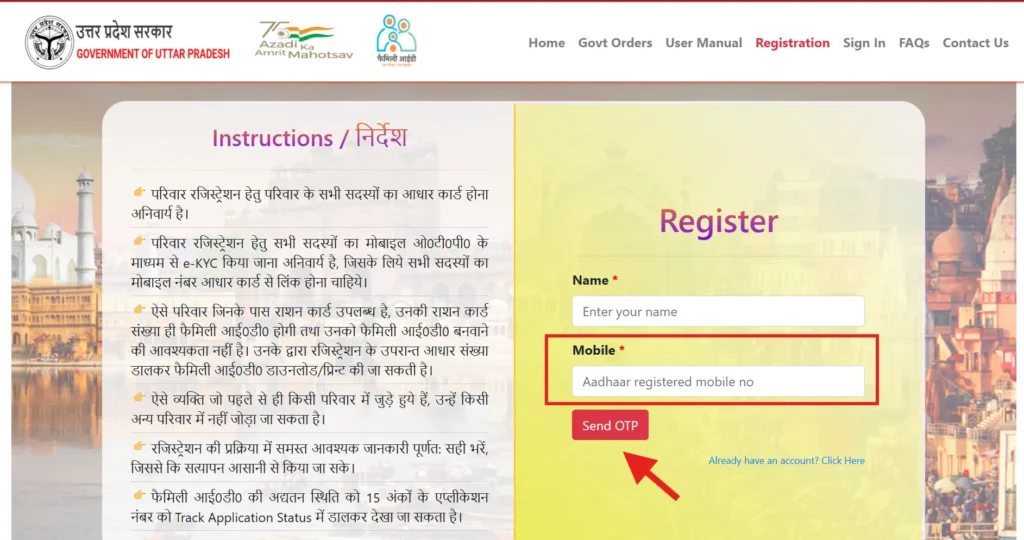
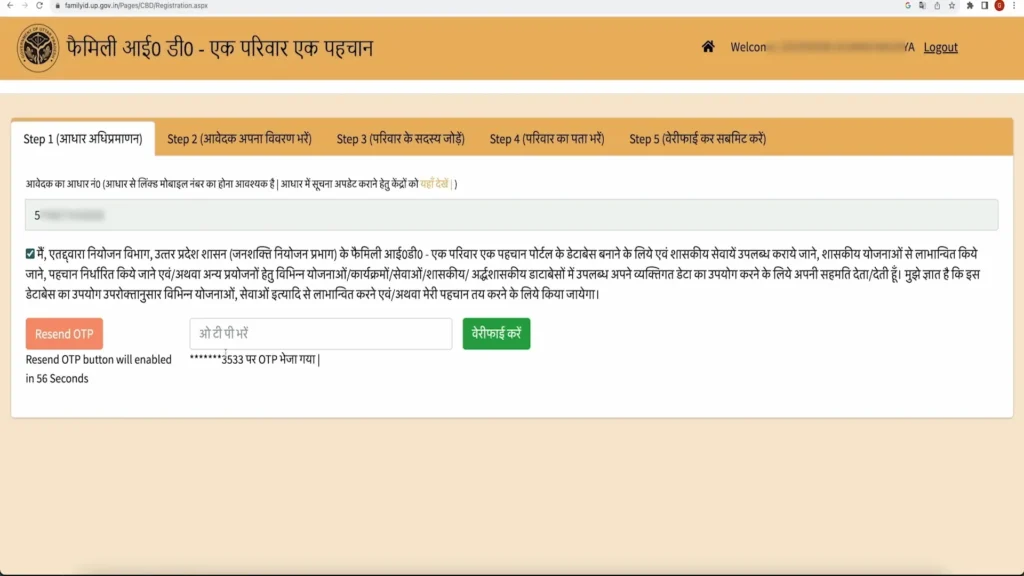
Enter Your Mobile Number & Verify OTP
You’ll be prompted to enter a mobile number that is linked to your Aadhaar card. Once you provide your number, an OTP (One-Time Password) will be sent to your phone. Enter this OTP to verify your number.
Tip: Use a mobile number that you regularly use, as it will be used for login, notifications, and status updates.
Enter Family Head’s Aadhaar Number
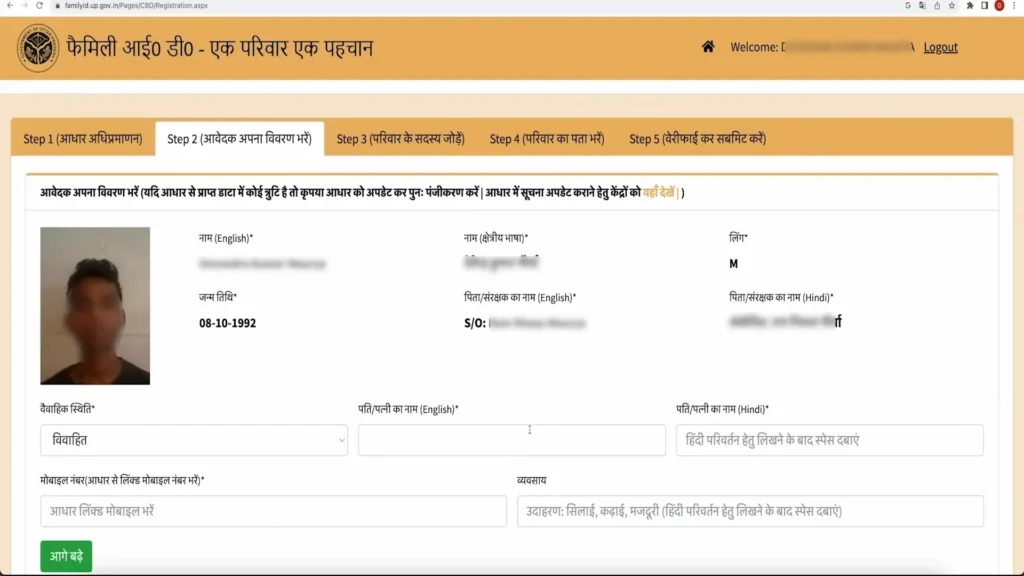
Next, you’ll be asked to enter the Aadhaar number of the family head (the head of the family). The system will automatically pull some details from the Aadhaar database.
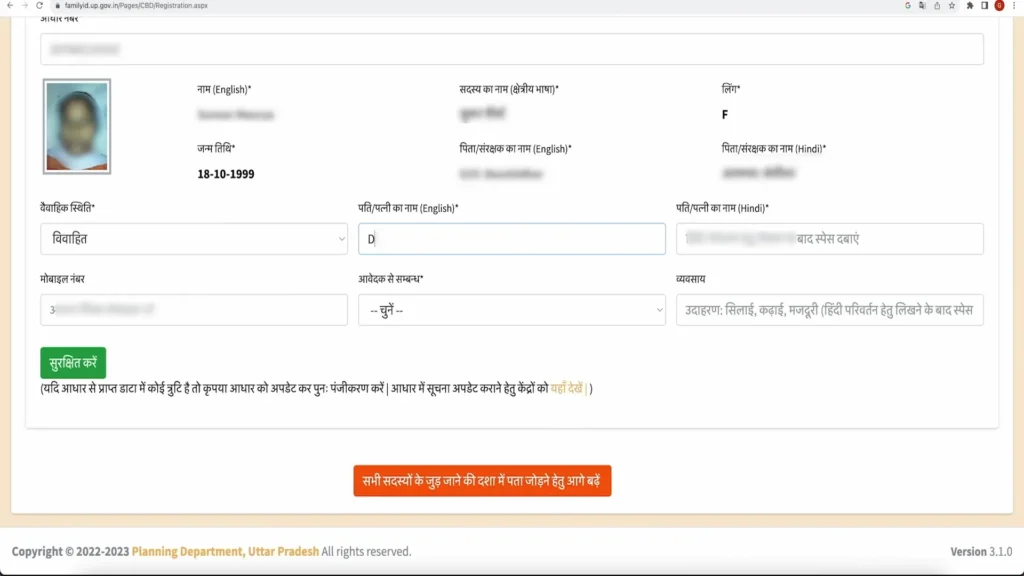
Fill in Family Details
Here, you’ll need to enter details for every family member. This includes:
1.Name
2.Relationship to the family head
3.Date of birth
4.Gender
5.Aadhaar number (if available)
…and more.
Tip: Double-check each entry to avoid errors. Mistakes can delay the application process.
Upload Required Documents (If Needed)
You may be asked to upload supporting documents. These might include:
1.Aadhaar cards
2.Proof of address (like electricity or water bills)
3.Photographs of family members
4.Income or caste certificates (only if applicable)
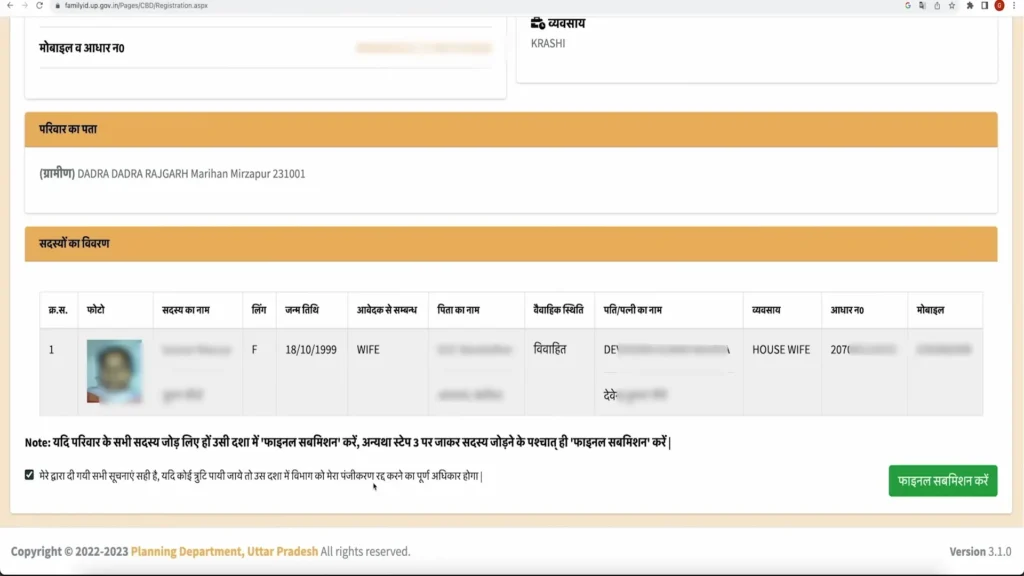
Review & Submit
Once you’ve filled out all the details and uploaded the required documents, review everything one last time. After confirming that everything is correct, hit the Submit button.
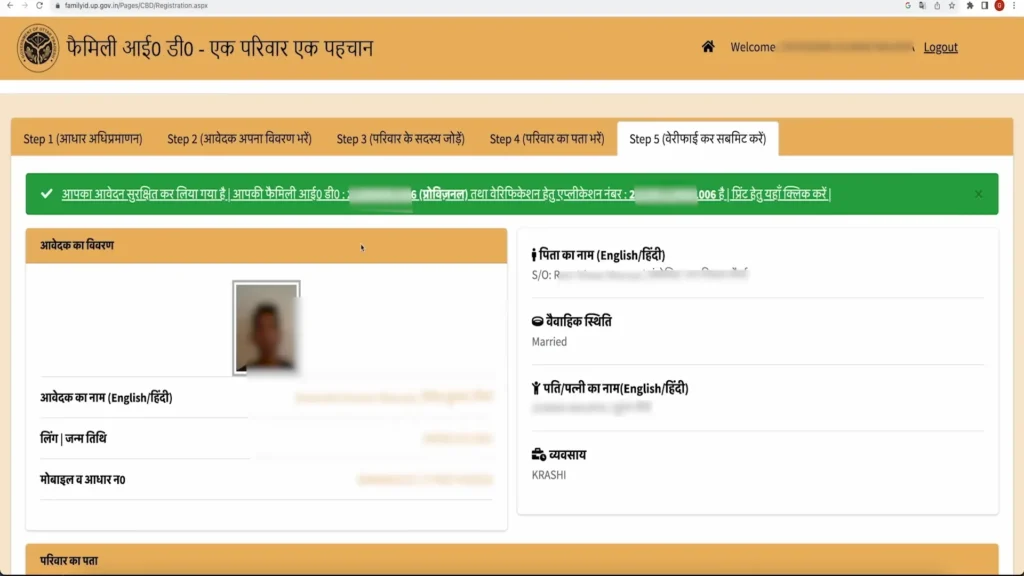
Once submitted, you will receive an Application Number. Make sure to save this number for future reference.
Track Your Application
You can track the status of your application anytime by visiting the official portal. You’ll need your application number and OTP to check the status.
Statuses might be:
Processing
Approved
Rejected
If it’s rejected, you’ll usually be provided with a reason, so you can correct any issues and reapply.
Documents Required for UP Family ID
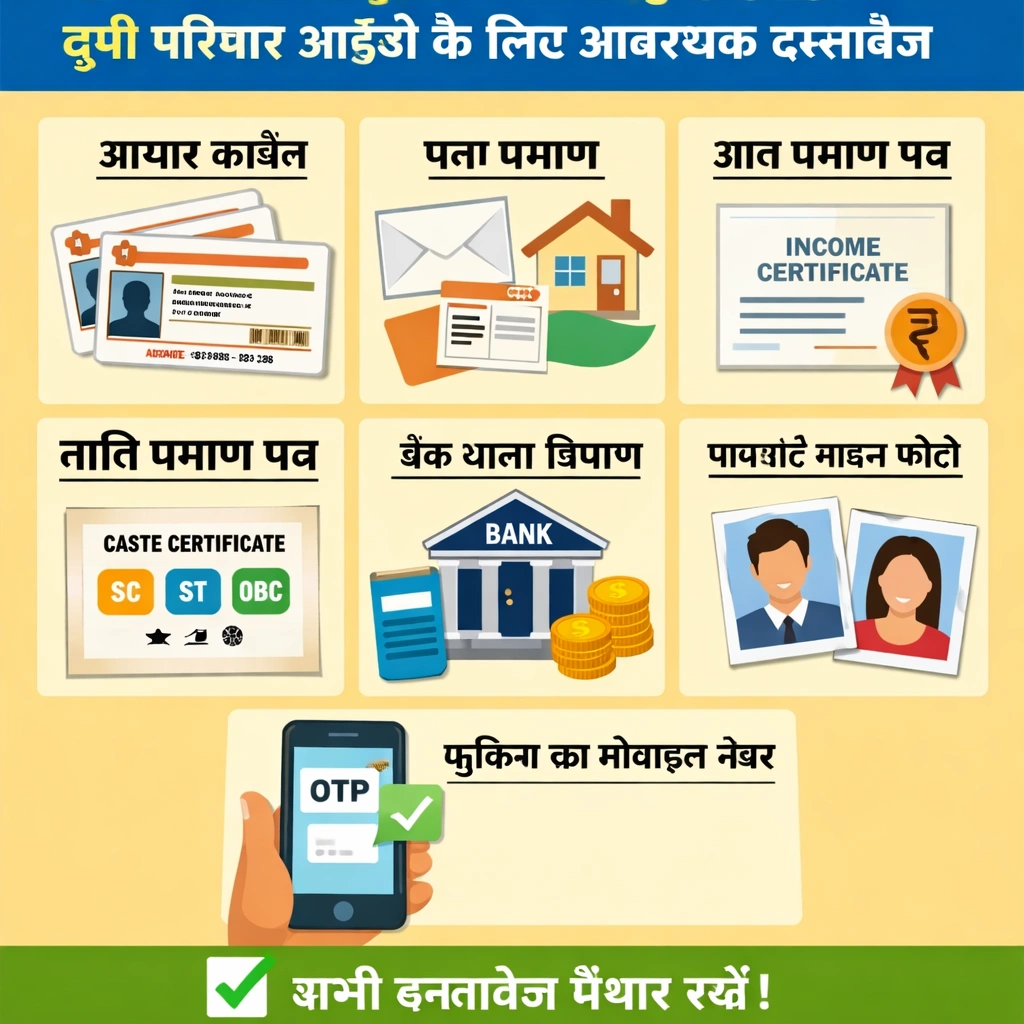
Before starting the application, make sure you have the following Required documents ready:
Aadhaar card of the family head and family members
Proof of address (e.g., electricity bill, water bill)
Photographs of family members
Income certificate or caste certificate, if applicable
These documents will help ensure a smooth application process.
Eligibility Criteria
To Apply for UP Family ID , you must meet the following eligibility criteria:
Anyone who meets these criteria is eligible to Apply for UP Family ID .
Benefits to Apply for UP Family ID
Once you get your UP Family ID, you can avail of various benefits:
You can access welfare programs like health benefits, subsidies, pensions, and more.
Helps streamline the distribution of benefits.
Family members can be verified quickly for benefits.
scholarships ,health programs, and other government support.
How to Download UP Family ID
After your application is approved, you can download your UP Family ID from the official portal. Here’s how:
Login to the official website using your application number and OTP.
Once logged in, you’ll find the option to download your Family ID.
Download the document and print it for your reference.
After Approval
Once your application is approved, you’ll receive your UP Family ID. This ID can be used to access various government schemes, such as health benefits, welfare programs, pensions, etc.
Quick Tips to Avoid Mistakes
Frequently Asked Questions
Conclusion
Getting your UP Family ID Scheme online is a simple and convenient process that allows families to access various government benefits and services. By following the step-by-step method to Apply for UP Family ID, you can easily complete the registration from home, upload the required documents, and avoid unnecessary delays. Make sure to keep your application number safe, as it helps you track your application status and receive important updates in the future.


