
PPP Family ID Aadhaar eKYC Failed? Easy Fix Guide Now Online
If your PPP Family ID Aadhaar eKYC failed, it can be frustrating — especially when you just want your PPP Family ID to work so you can access government benefits. The good news is that most of the time the issue has a clear reason and an easy fix.
In this guide, you’ll learn why Aadhaar eKYC fails in PPP Family ID and how to fix it in the simplest way possible
What Is Aadhaar eKYC and Why It’s Needed for PPP Family ID
Aadhaar eKYC is a digital verification process that checks whether your Aadhaar details (name, date of birth, mobile number, biometric info, etc.) match the official records. It helps confirm your identity without needing paper documents. eKYC must pass for your PPP Family ID to be completed and verified.
If PPP Family ID Aadhaar eKYC failed, your PPP Family ID may not become fully active or may not show benefits.
Common Reasons PPP Family ID Aadhaar eKYC failed
Incorrect Aadhaar Number or Details
If you enter your Aadhaar number incorrectly or mistype your name or date of birth, the eKYC will fail because it can’t match your details with the official Aadhaar database.
Always make sure you enter the exact 12‑digit Aadhaar number and details as they appear on your card.
Fix: Re‑enter your Aadhaar number carefully and ensure all details are correct before submitting.
Mobile Number Not Linked or Incorrect
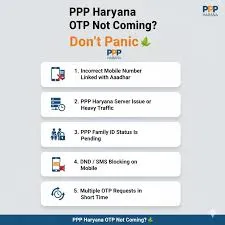
Aadhaar eKYC often uses OTP (One‑Time Password) verification sent to your mobile number. If the number on your Aadhaar card is not active, not linked, or changed, the OTP won’t reach you and eKYC will fail.
Fix: Update your mobile number in your Aadhaar first, then retry eKYC.
Biometric or OTP Authentication Errors
Sometimes the system needs biometric verification (fingerprint or iris scan) or OTP verification. If your fingerprint isn’t recognized or the OTP doesn’t go through due to network problems, PPP Family ID Aadhaar eKYC failed.
Fix: Try again in a good network area, or use an alternate eKYC method if available.
Inconsistent Data Between PPP and Aadhaar
If the PPP Family ID details (like name, spelling, date of birth) don’t exactly match your Aadhaar information, eKYC will not succeed.
Even small spelling differences can cause a mismatch.
Fix: Correct your PPP Family ID details so they match your Aadhaar records exactly.
Temporary Server or Sync Issues
Sometimes PPP Family ID Aadhaar eKYC failed due to backend delays or temporary sync issues between the PPP portal and Aadhaar databases. In such cases, users may see errors like not valid or not found, which commonly occur when a large number of users are trying to verify their details at the same time.
Fix: Wait a few hours and try again later.
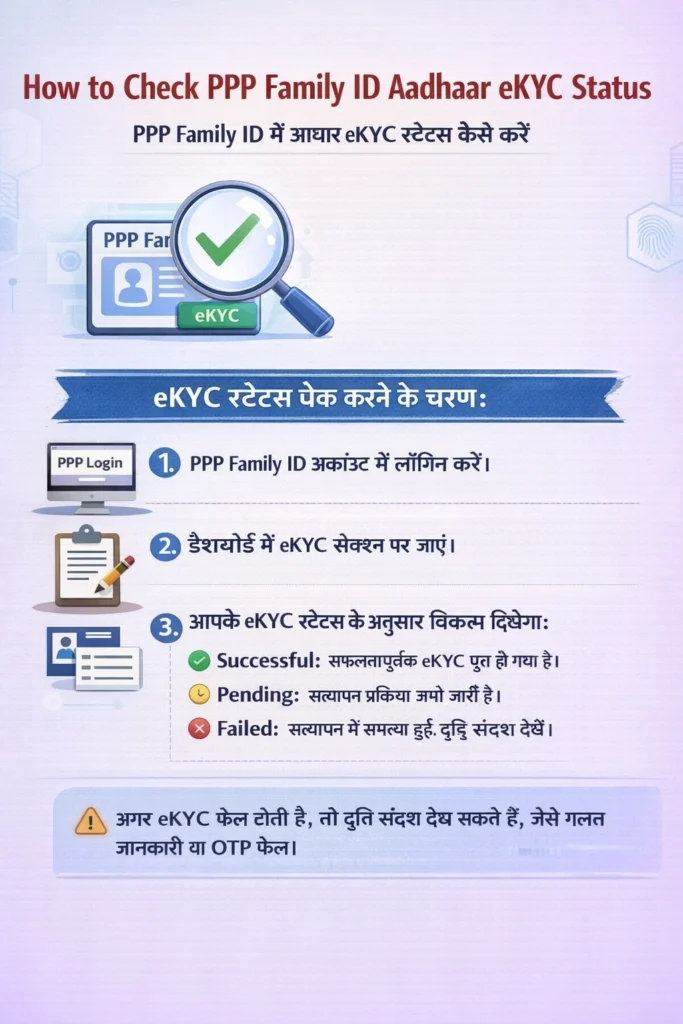
How to Check PPP Family ID Aadhaar eKYC Status
Log in to your PPP Family ID account.
Navigate to the eKYC section in your account dashboard.
The status of your eKYC will be displayed as:
1.Successful: Your eKYC has been successfully completed.
2.Pending: The verification is still in process.
3.Failed: An error occurred during verification (detailed error message provided).
You can also see error messages if the eKYC fails, explaining the issue (e.g., incorrect details or OTP failure).
How Long PPP Aadhaar eKYC Takes
Typically, the eKYC process takes a few minutes to complete. However, if there are any errors, verification delays, or server issues, it may take a few hours. If the process doesn’t complete, you may need to retry later.
Documents Required for PPP Aadhaar eKYC
To complete the eKYC process, the following documents may be required:
Common PPP eKYC Error Messages
Some common error messages include:
“Aadhaar number not found”: This can occur if the Aadhaar number is incorrect or not linked to the Aadhaar database.
“OTP failed”: This happens when the OTP does not reach the registered mobile number.
“Biometric verification failed”: This occurs when there is an issue with biometric authentication, such as an unclear fingerprint.
What to Do if PPP eKYC Keeps Failing
If eKYC continues to fail despite multiple attempts:
Step‑by‑Step Guide to Fix Aadhaar eKYC Failure
Write down your Aadhaar number and check it carefully. Make sure you haven’t swapped digits.
If you changed your number recently, update it in the Aadhaar system first.
If OTP fails, ask the portal of haryana if biometric verification is available (at a service centre).
If names or dates don’t match, correct them through the portal or at your nearest help centre.
If online eKYC still fails, visit a CSC. They can help complete your eKYC using their tools.
Tips to Avoid PPP Family ID Aadhaar eKYC failed
FAQs About PPP Aadhaar eKYC Failure
Final Thoughts
PPP Family ID Aadhaar eKYC failed failing doesn’t mean your PPP Family ID is gone — it just means the system couldn’t match your identity details at that moment. Most of these issues are easy to fix if you check your Aadhaar details, update your mobile number, and retry verification patiently.
If you follow the steps above, you should be able to resolve the issue and complete your PPP Family ID verification successfully.


