
How to Change Head of Family in PPP Family ID Online Easily!
Change Head of Family in your PPP Family ID (Parivar Pehchan Patra) may sound complicated, but it’s usually needed after major life events — like when the family head passes away, moves out, gets married, or a new person becomes responsible for the household.
This guide explains why the change is important and exactly how to do it, in a friendly, simple way.
Why You Might Need to Change Head of Family
Your PPP Family ID keeps your family’s official data (members, address, income) in one place so you can access government welfare schemes properly. If the designated head of family changes, you should update it because:
The head’s mobile number is used for OTP authentication.
Many government benefits depend on the family head’s identity.
Keeping old or incorrect data can cause verification failures later.
It ensures the record reflects the current decision‑maker of the household.
Updating this protects your Family ID and future benefit claims, especially in the context of PPP vs Aadhaar vs Ration Card, where accurate records ensure uninterrupted access to government schemes.
Who Can Be the New Head of Family
Typically, Change Head of Family and add a new head of family can be anyone from your household who:
Common situations include:
When the current head passes away.
When the head moves to a different household.
When parents transfer responsibility to an adult child.
When Should You Change the Head of Family in PPP?
You should update the head of family in PPP in the following situations:
When the current head passes away.
When the head moves out to live independently.
When there is a shift in responsibility due to marriage, divorce, or other significant life changes.
When parents transfer the household responsibility to an adult child.
Changing the head ensures that your family’s records are accurate, which is essential for receiving all the applicable benefits without any issues.
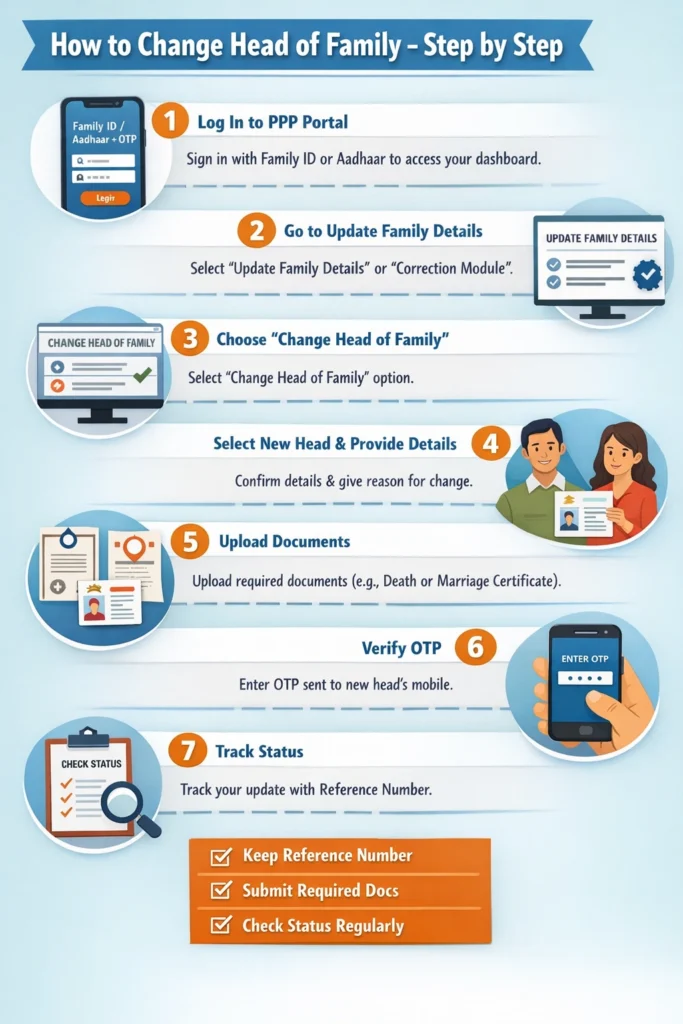
How to Change Head of Family — Step by Step
Here’s the easiest way to make the Change Head of Family:
Log In to the PPP Portal
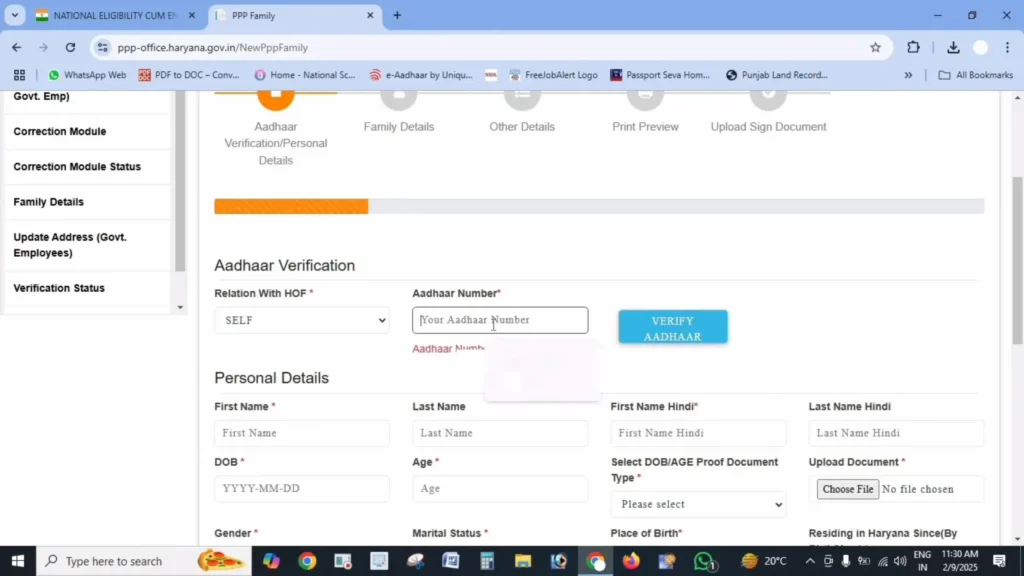
First, sign in with your existing Family ID or Aadhaar number and OTP to access your family dashboard. You’ll need the mobile number linked with the current head of family for verification.
Go to Update Family Details
Once logged in, look for the option labeled “Update Family Details” or “Correction Module.” This is where changes to family records are made.
If you don’t see it clearly, it could be grouped under editing primary member details.
Choose “Change Head of Family”
In the update menu, select the option to change the head of family. This option might be combined with other member updates.
Select the New Head and Provide Details
Pick the new head of family from your listed members. You may need to:
1.Confirm their name and relationship.
2.Provide updated Aadhaar details for the new head.
3.Enter the reason for the change.
Upload Supporting Documents
Some changes may require documents, especially in official cases. For example:
1.Death certificate (if the previous head passed away).
2.Marriage certificate (if the head got married and moved).
3.Aadhar card of the new head.
4.Supporting documents help the update get approved faster.
Verify With OTP
After submitting the change request, the system will send an OTP to the new head’s registered mobile number. Enter it to confirm the change.
Most portals will notify the original head too about the update via SMS.
Track Update Status
After submission, note the reference number you get. You can use it to check whether your request is approved or still under review.
It usually takes a few days for updates to reflect.
What If You Can’t Change It Online?
If the online portal doesn’t show the option or you face verification errors:
Visit a Common Service Centre (CSC)
A nearby service centre can help you Change Head of Family in PPP manually. Bring original documents like:
Service centre operators can enter or correct the record for you.
Importance of Correct Family Head Information
Correct family head information in your PPP Family ID is essential for the smooth processing of welfare schemes and benefits. An incorrect head of family can lead to several issues, such as:
benefits because the identity of the head is crucial for authentication.
when applying for family-based welfare programs.
during audits or checks from government departments.
By updating this information, you ensure that your family’s access to state benefits and services remains seamless.
How to Ensure Your PPP Family ID is Always Up-to-Date
To keep your PPP Family ID accurate and up-to-date, follow these steps:
Regularly check your family details: Especially after significant life events such as marriage, death, or relocation, ensure the head of family information is updated.
Link Aadhaar for OTP and biometric verification: Always keep Aadhaar linked with the mobile number of the head of family for easy updates and verifications.
Keep documents handy: Ensure that all necessary documents like birth certificates, death certificates, and Aadhaar cards are up-to-date and available for quick updates.
Monitor government notifications: Stay informed about any government schemes or changes that might affect your family’s eligibility or require updates in the PPP Family ID.
Helpful Tips to Make It Smooth
active before starting changes.
names and dates before submitting updates.
of documents clearly — blurry uploads often delay processing.
after major life events (death, marriage, relocation).
status so you know when it’s approved.
FAQs
Final Thoughts
Change Head of Family in your PPP Family ID doesn’t have to be confusing. With the official update section or help from a service centre, you can keep your family data accurate and your access to government schemes uninterrupted. Do it as soon as life changes occur so your records always reflect your real situation.


