
PPP Family ID After Marriage – Name, Address & Income Change
Getting married is a big life event. After marriage, your PPP Family ID (Parivar Pehchan Patra) details often need to be updated, as family information changes.
If you already have a PPP Family ID, it’s important to adjust your Family ID after marriage by updating details like name, address, and income. Keeping your Family ID accurate ensures you continue to receive government benefits without issues.
This article explains why updates are needed and exactly how to do them in simple steps.
Why You Should Update PPP Family ID After Marriage
When you get married:
If these changes are not updated in the PPP Family ID, your eligibility for welfare schemes, subsidy benefits, and direct benefit transfers could be affected. Keeping this updated ensures you continue to receive the right benefits.
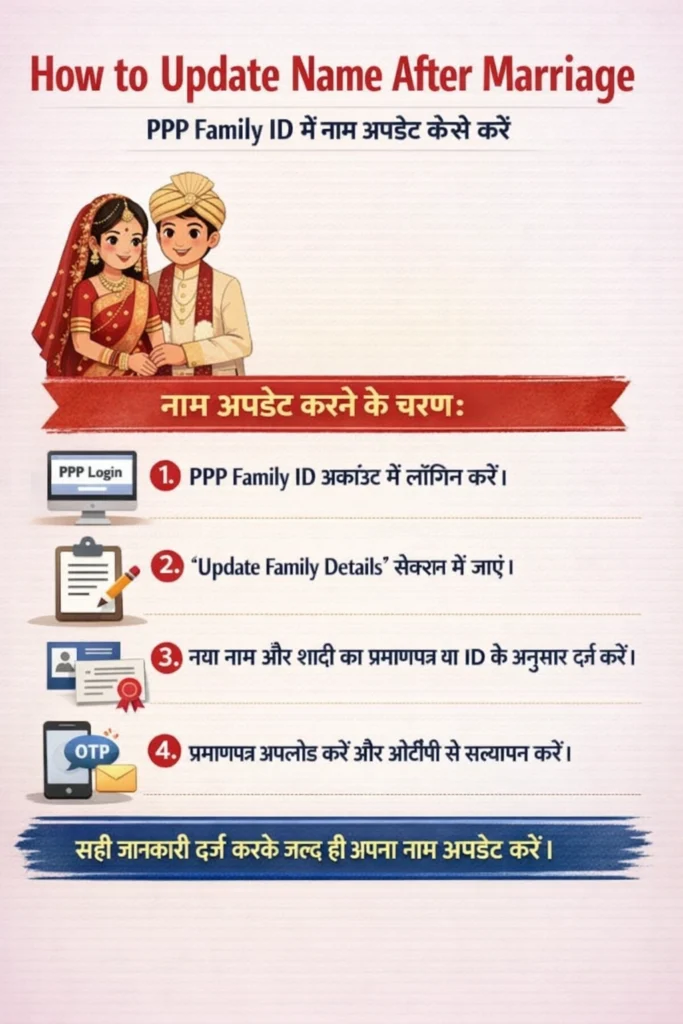
How to Update Name After Marriage
Changing your name of Family ID after marriage is common, especially for women who take their spouse’s last name or use a new name style.
In PPP, the portal needs the official name that matches government records.
How to update name:
Log into your PPP Family ID account.
Go to Update Family Details section.
Enter your updated name exactly as shown on your marriage certificate or updated ID.
Upload a marriage certificate or name change document.
Verify through OTP sent to the registered mobile number.
After submission, it may take a few days to process.
Tip: Make sure your name on the PPP Family ID matches other official documents like Aadhaar and voter card. If there is a mismatch, your Family ID may be rejected during verification, causing delays or rejection in benefits.
How to Update Your Address After Moving
Marriage often means moving to a new place. If you’ve changed your address, it’s important to update this in PPP Family ID.
Steps to update address:
Log into your PPP account.
Choose Update Address option.
Enter your new permanent address.
Upload proof of address (such as utility bill, rent agreement, or government ID).
Complete OTP verification.
Updating the address keeps your Family ID after marriage current and avoids mismatches when applying for schemes.
How to Update Income After Marriage
Household income often changes after marriage. Your PPP Family ID uses family income to decide which benefits you qualify for, so updating it helps ensure you get the right access.
Steps to update income:
Log into your PPP account.
Go to Update Income section.
Enter the current total family income after marriage.
Upload supporting documents (salary slips, income certificate, etc.).
Verify with OTP.
Tip: Always submit honest and official proof of income to avoid future discrepancies.
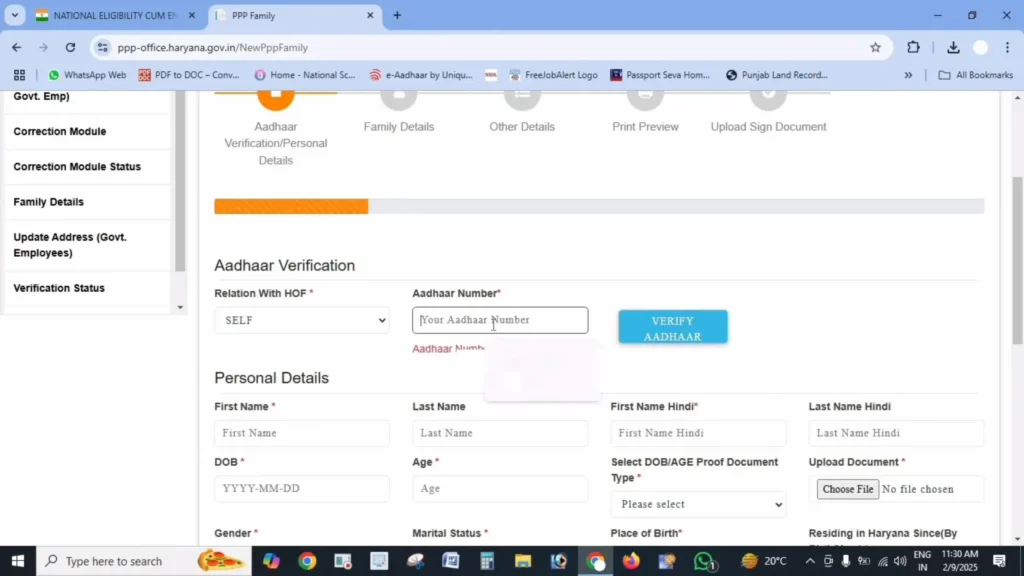
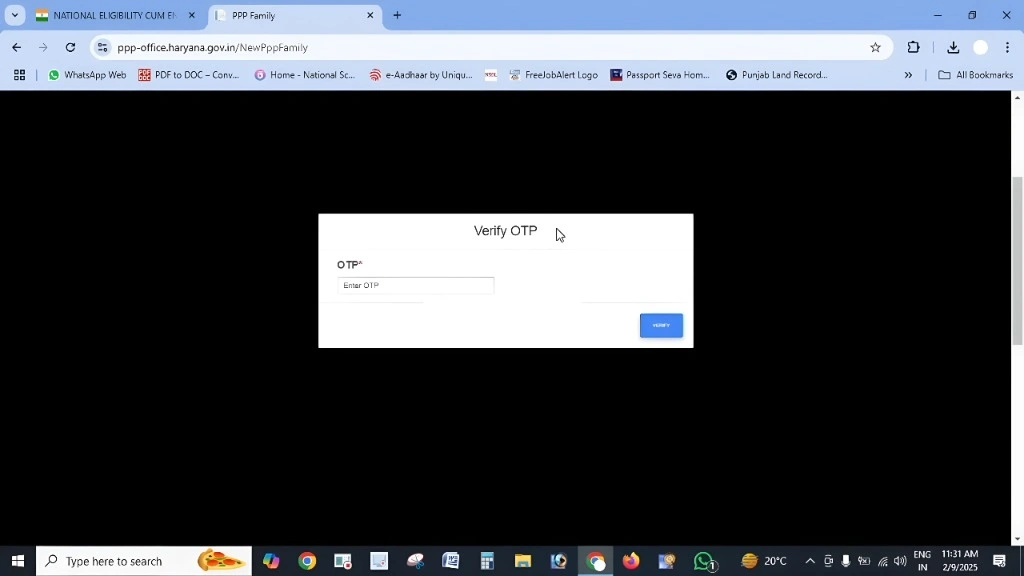
Add Wife in PPP Family ID
After marriage, it’s important to add your wife’s details in the PPP Family ID to reflect your new family structure. This ensures that she receives the benefits and welfare schemes intended for your family.
Steps to add your wife:
Log into your PPP Family ID account.
Go to the “Add Member” section.
Enter her name, relationship, and other required details.
Upload your marriage certificate as proof.
Verify through OTP.
PPP Transfer After Marriage
If you or your spouse need to transfer your PPP Family ID details from one state to another, such as due to relocation, it’s important to follow the transfer process to avoid losing access to benefits.
In Haryana, for example, the PPP Family ID can be updated through an official transfer process.
Steps for transfer:
Log into the PPP portal and select “Transfer Family ID”.
Enter your new address and personal details.
Provide any supporting documents (like a rent agreement or proof of new residence).
For checking your status guide Read Status guide of PPP Family ID.
Remove Daughter from Family ID
If your daughter has moved out of the household or is married, you may need to remove her from your PPP Family ID. This helps keep your records accurate.
Steps to remove:
Log into your PPP Family ID account.
Go to the “Remove Member” section.
Enter her details and confirm her removal.
Upload any supporting documents if required.
PPP Spouse Update
If you have a spouse and their details need to be updated after marriage, this section guides you through the steps to include their information in the Family ID.
PPP Family Merge Haryana
In Haryana, if you’re merging family details (e.g., moving in with a spouse or merging households), you can update the PPP Family ID to reflect the new structure. This ensures that both families are included under one ID for welfare schemes.
Steps to merge family:
What Happens if You Don’t Update After Marriage
If you don’t update your PPP Family ID after marriage:
might get calculated incorrectly.
or rejections when applying for welfare schemes.
can remain outdated in government records.
in getting subsidies and support services.
Keeping your PPP details updated makes sure government support tools work properly for your family.
Where to Update Your PPP Family ID
You can update your PPP Family ID information using two main ways:
Self‑update online:
Assisted update at service centers:
Updating at CSC can be helpful if you face any issues online or need support with verification.
Tips to Make the Update Process Smooth
Video
FAQs About PPP Aadhaar eKYC Failure
Bottom Line
Marriage brings exciting changes, and updating your PPP Family ID after marriage keeps your government records aligned with real life. Whether it’s your name, address, or household income, updating these details helps ensure you continue to qualify for the right schemes without any delays or issues.


